Copy
- Select the drawing style to use as a template for the new style.
- On the Drawing Style Manager's toolbar, click Copy
 .
. 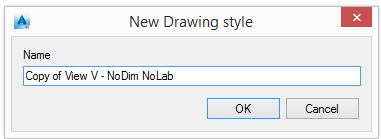
- Enter the name for the drawing style.
The new drawing style appears in the tree and can be moved to another category.
Note: The associated sub-styles are not copied with the drawing style therefore modifying a sub-style affects all the drawing styles that are using it.
Deep copy
The drawing style definitions provided by Advance cannot be modified but can be used as templates for new drawing styles.
The Deep copy function copies the selected drawing style and all associated sub-styles. The new copy can then be modified at any level, without changing the original drawing style.
- Click Deep copy
 .
. - 2Enter the name for the drawing style.
The new drawing style appears in the tree and can be moved to another category.
Delete
- On the tree panel select a drawing style to delete. Click Delete
 .
. - In the warning box, click Yes to delete the drawing style.