The Clipping Properties tab contains the clipping options.
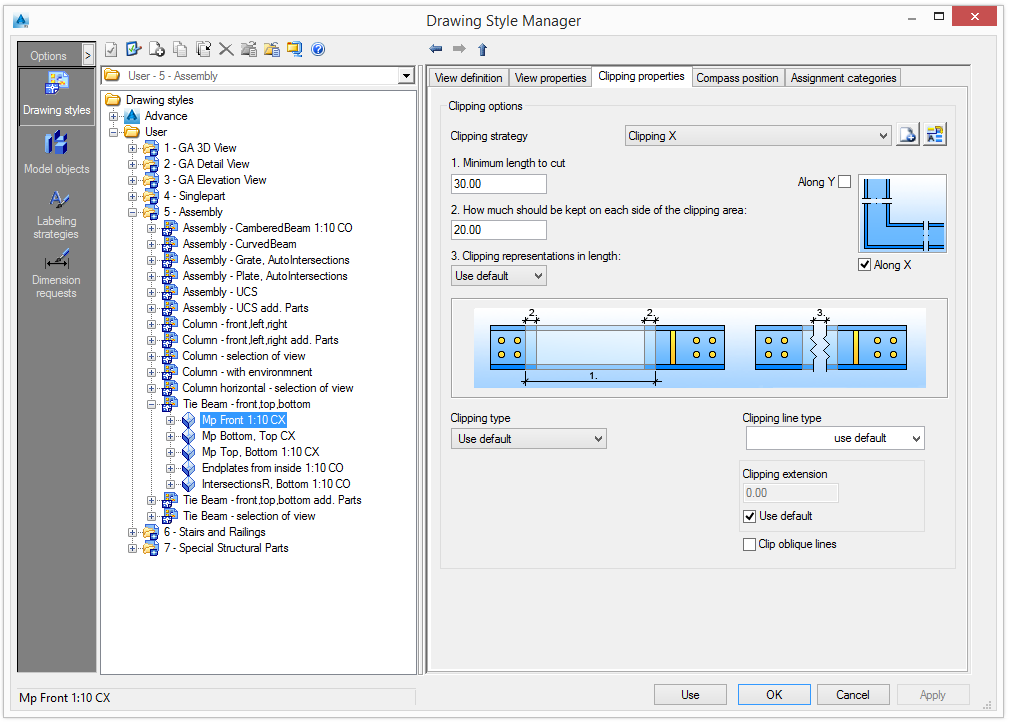
Clipping options
The use of clipping in the current view is set using the clipping options.
Clipping strategy
The clipping strategy always refers to the coordinate system of the reference object and not the position in the drawing. The following options are available:
|
Clipping X |
Clipping along the X axis of the reference object |
|
Clipping Y |
Clipping along the Y axis of the reference object |
|
Clipping XY |
Clipping along both X and Y axes of the reference object |
|
Clipping off |
No clipping |
The list of clipping strategies can be modified. New strategies can be added or the existing ones can be renamed.
| Button | Function |

|
Define a new clipping strategy. A new item is inserted into the list. |

|
Rename a strategy. The current settings are saved under a different name. |
The clipping strategies are modified using the following controls.
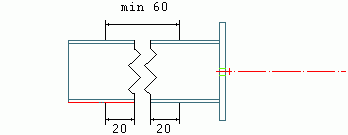
Minimum length to cut:
Defines the size of the clipping; the smaller the intervals, the bigger the clipping
How much should be kept on each side of the clipping area:
Defines the length of the area kept from the excluded region
Clipping representations in length
Defines the distance in millimeters (or inches) on the drawing
Clipping type
Select a representation for the clipping line.
| Button | Function |
|
Normal clipping: |
Clipping with a selected line type 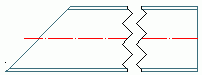
The clipping line type is selected from the "clipping line type" list: ZIGZAG dotted, dashed, etc. |
|
Button |
Function |
|
No line clipping |
Clipping with small gap and no clipping line 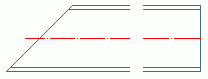
|
|
Custom clipping |
Clipping with a custom line type 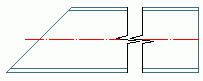
|
Optionally, the clipping can be represented with extension lines (clipping line oversteps the element). The line extension size can be set.
Check Clip oblique lines to use clipping for oblique lines.