Prefix configuration window
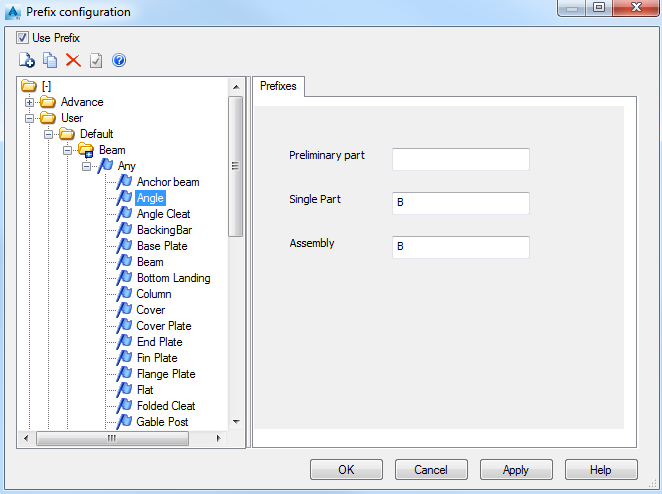
Use Prefix
Enables the use of prefixes in the numbering process.
Prefix management tools
|
Button |
Function |

|
Creates a new prefix profile. |

|
Copies the selected item to the selected location. |

|
Deletes the selected item. |

|
Defines the selected prefix profile as current. |
The list of available prefix configuration profiles
The left side of the window lists all available profiles separated into two main groups:
- Advance: This category includes all the prefix profiles available in Advance Steel. Their properties cannot be modified.
- User: This category includes a copy of all the prefix profiles from the Advance category. The properties can be modified.
The prefix profiles are grouped according to the elements for which are defined (Beams, Plates, Folded plates, Special parts).
For each model role it is possible to assign different prefixes for single part and assembly part.
Prefixes tab
Single part
Defines the single part prefix for the selected element type and model role. At single part numbering, the parts will get this prefix.
Assembly part
Defines the assembly part prefix for the selected element type and model role. At assembly part numbering, the parts will get this prefix.
Prefix configuration dialog boxes
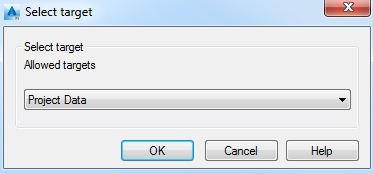
Select target
Allows you to select the target group from the available list.
Copy data to profile
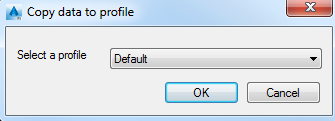
Select a profile
Lists all prefix profiles available in the group selected in the Select target dialog box.
New prefix
This dialog box allows you to select the object types for which the prefixes are set. The selection acts like a filter for the objects from the 3D model.
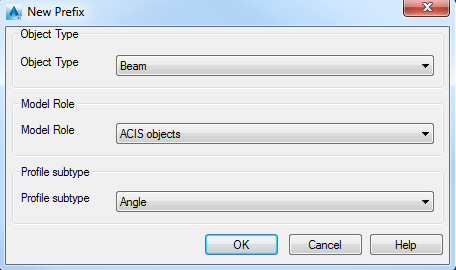
Object Type
Lists all available object types (Beam, Plate, Bolt etc.).
Model Role
Allows selecting the model role within the structure.
Profile subtype
If the object type is Beam, lists the profile subtype.