You can access the drawing processes from the Drawing Process Manager, the Drawing Processes Palette or manually using commands.
The default processes are accessible from the Output tab, in the Document Manager panel, Drawing Processes .

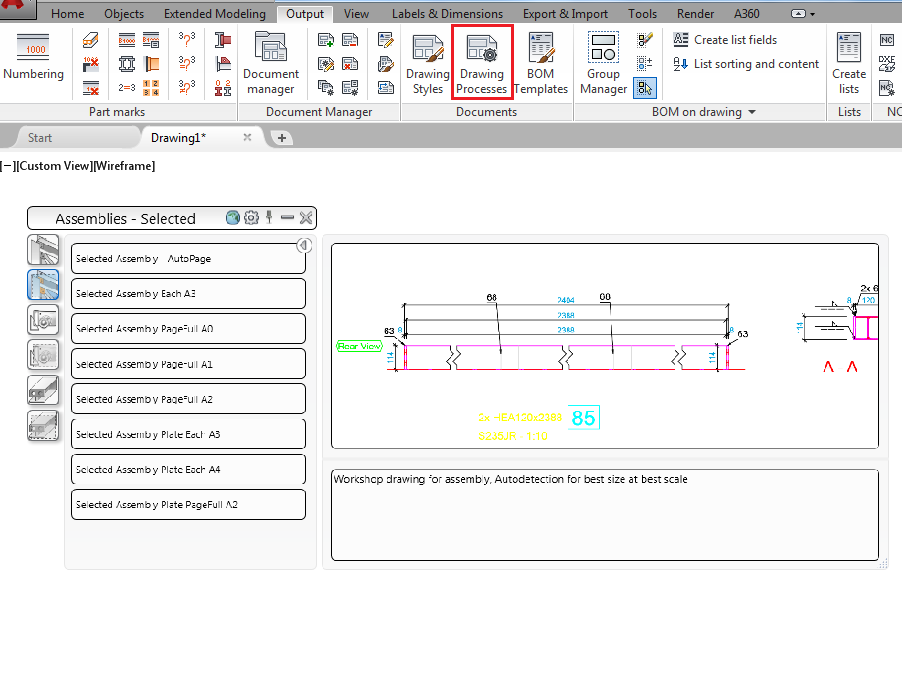
You can also access the drawing processes using the Drawing Processes Palette, in the Output tab, Documents panel.
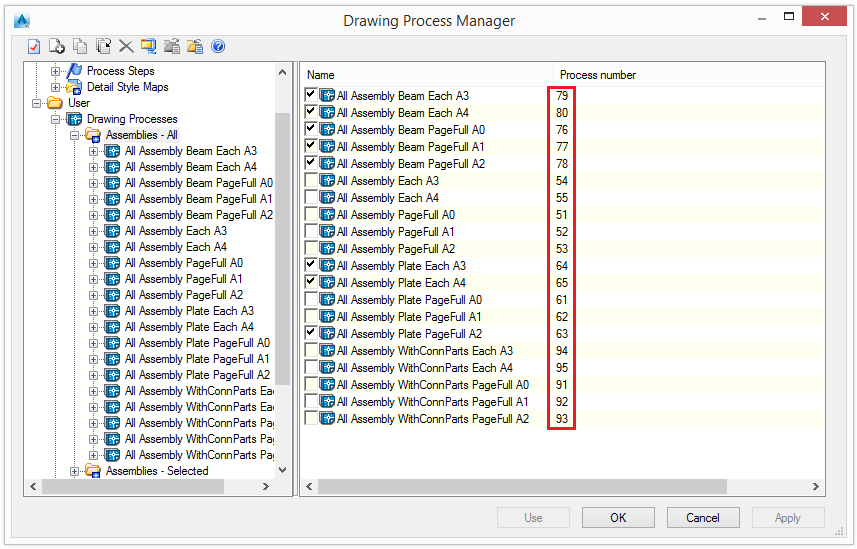
You can also call processes manually using the _AstM4CommDetailingProc User command and the process number. The Process number column displays the number associated to each process.
Example:
_AstM4CommDetailingProc User 52 calls the drawing process All Assembly PageFull A1