The effect of rotation on an object depends on the position of its rotational pivot point.
Rotate a picked object
- Choose Transform > Rotate
 .
. - Drag the mouse buttons to rotate around the different axes, or type rotation values for the X, Y, and Z axes.
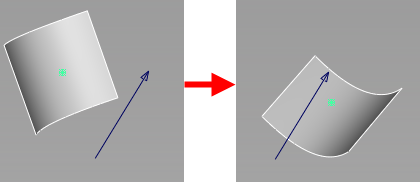
Rotate around a vector
- Choose Transform > Rotate
 and select Vector.
 - Create the vector by clicking in the view where you want the vector to start or typing the start position in the prompt line.
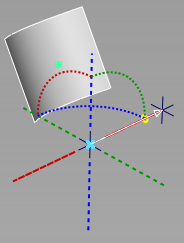
- Adjust the manipulator to position the vector and click Accept.
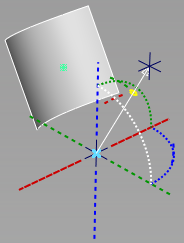
- Enter a sweep angle on the prompt line.
How do the different mouse buttons rotate?
| Drag... | To Do This |
|---|---|
|
|
Rotate around X axis. 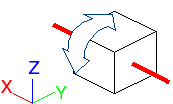 |
|
|
Rotate around Y axis. 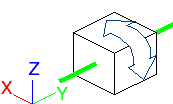 |
|
|
Rotate around Z axis. 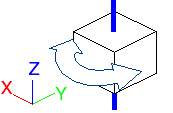 |


Return an object to its original rotation
- Choose Transform > Rotate . In the prompt line, type a 0 0 0 and press
 (Windows) or
  (Mac).
Rotate a picked object using the universal transform manipulator
- Choose Transform > Transform
 .
. - To rotate the object around an axis, drag a sphere or arc.
To rotate the object freely, click a sphere, then drag the sphere at the center of the manipulator with the mouse buttons.