Normally, when a file is opened in Navisworks running from the Factory Design Suite, the last file in the Selection Tree is automatically selected and the view is zoomed to the extents of that file. If the last file has both very large and small models in the layout, the view zooms out so much that the small models are often not visible.
To prevent this behavior, select Append File in the Navisworks Options Editor dialog and activate the Start Transform command after appending file check box shown below:
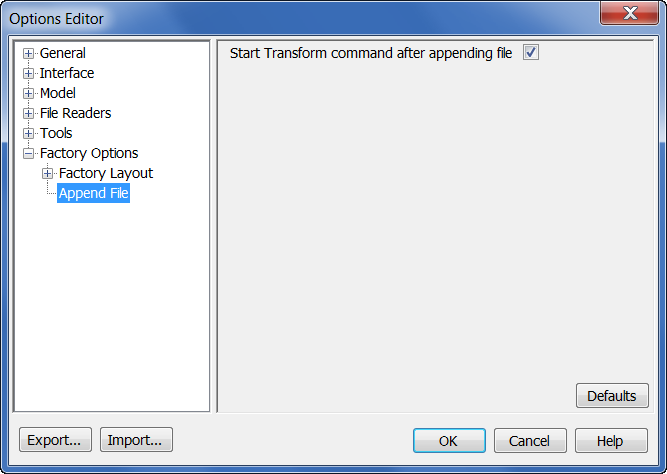
To open the Options Editor, right-click in the Navisworks graphics window, select Global Options from the pop-up context window, and expand the Factory Options node.
Tip: You can also quickly open the Options Editor dialog by pressing function key F12.
There are several things to keep in mind regarding this setting:
- It is active by default.
- When active, zoom and transform commands are run automatically after the file is appended.
- When inactive, zoom and transform commands do not run after the file is appended.