The VTR devices available depend on the VTR keyword lines uncommented in the software initialisation configuration file. Make sure the VTR you select is appropriately connected using the corresponding audio, video, and RS-422 connections.
In certain situations, Flame Assist pre-selects a VTR with appropriate timing for you.
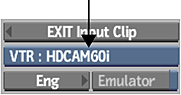
To select the VTR device for input:
- From the Device Name box, select an option corresponding to your VTR device.
- Make sure that the selected device is in Remote mode.