Molecule Based Samples
Following are the Molecule based samples included with the HumanIK package.
FullBodyIK
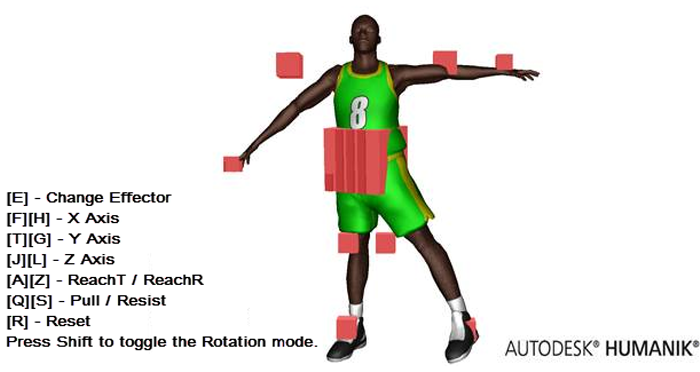
The FullBodyIK sample provides a visual interface to the HumanIK full-body inverse kinematics solver. You can alter a set of animations for a character on-the-fly according to the positions, orientations, and IK constraints that you specify for the character's Effectors. See the following figure with the keyboard commands.
Retargeting
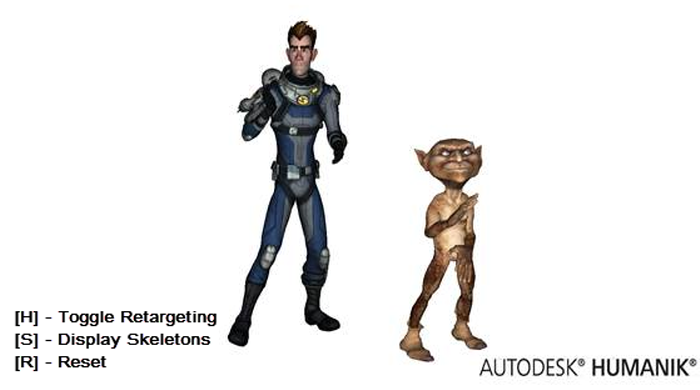
The Retargeting sample shows how to use HumanIK to take a set of animations recorded for one character, and to project those animations onto another character on-the-fly. See the following figure with the keyboard commands.
Squash and Stretch
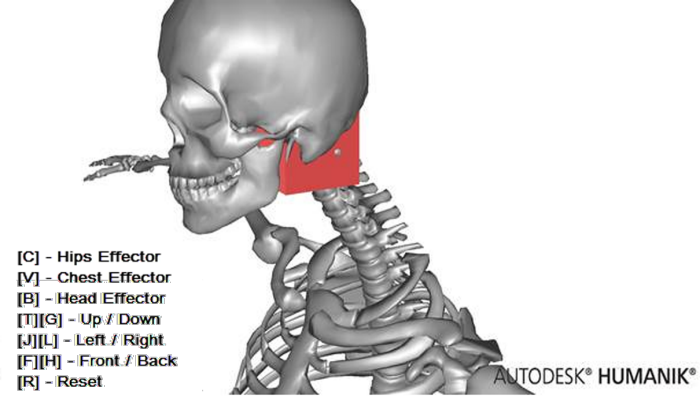
The Squash and Stretch sample shows how to set up HumanIK to enable neck and spine squash and stretch (introduced in HumanIK 2014). See the following figure with the keyboard commands.
Quadrupeds
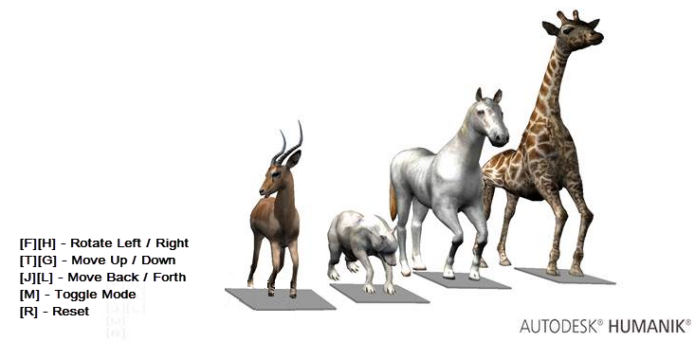
HumanIK can run FullBodyIK on quadrupeds. The Quadrupeds sample shows how to setup your data to get believable floor contact behavior for quadrupeds. See the following figure with the keyboard commands.
Creature
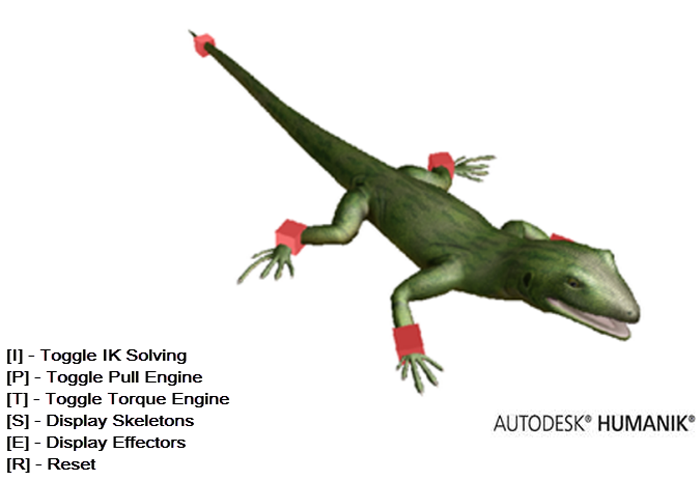
The Creature sample shows how to set up a lizard, a spider, a grasshopper, and a wasp. You can also enable and disable pull and torque to see how the solver reacts. To switch between creatures, you need to recompile the sample after uncommenting the relevant #define in the CreatureApp.h file as follows:
// This is the main switch to select the creature you would like to test.
// Only uncomment one of the following lines.

//#define SPIDER 1
//#define GRASSHOPPER 1
#define LIZARD 1
//#define WASP 1
See the following figure with the keyboard commands.
Snake
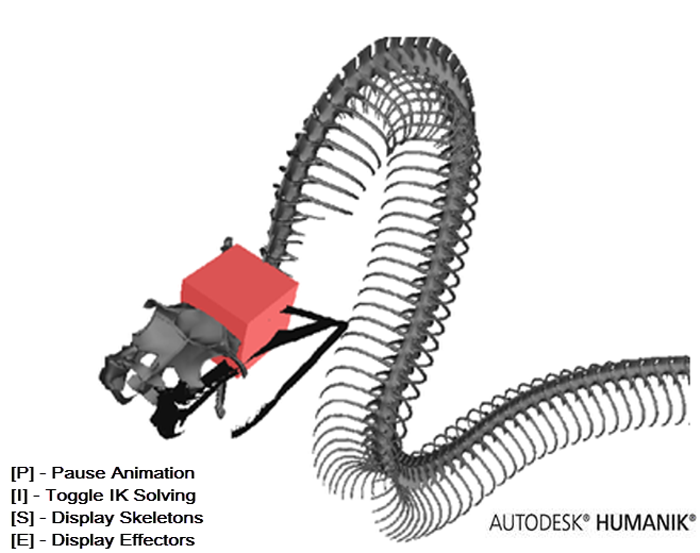
The Snake sample shows how to setup a snake using several Chains of HIKChainSolvingTypeTentacleCCD type. The sample declines different versions of the snake characterization and creature set up, demonstrating the tradeoff between performance and quality. To check different resolution modes, you must recompile the sample after uncommenting the relevant #define in the Profile_Snake.h file.
// One of the following lines should be uncommented.
// This is an easy way to test different solving resolutions
// from the cheapest to the most expensive (CPU).

//#define SNAKE_RESOLUTION_LOW
#define SNAKE_RESOLUTION_NORMAL
//#define SNAKE_RESOLUTION_HIGH
//#define SNAKE_RESOLUTION_EXTREME
See the following figure with the keyboard commands.
 Except where otherwise noted, this work is licensed under a Creative Commons Attribution-NonCommercial-ShareAlike 3.0 Unported License. Please see the Autodesk Creative Commons FAQ for more information.