Resist
Resist controls the ability of a joint to maintain its original angle in the final solution.
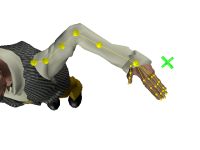
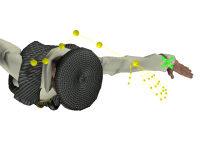
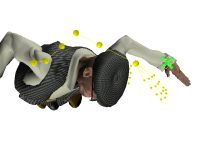
Resist values are taken into account by the HumanIK pull engine. In order to see the effects of the Resist setting on a joint when using the inverse kinematics solver, the body part must be bent in the initial HIKCharacterState passed to the IK solver, and an Effector further down the skeletal hierarchy must be acting to straighten the bent joint as a result of the Pull and Reach Translation values assigned to it.
For example, in the images above, the left wrist needs to be set with Pull and Reach Translation values in order for the Resist value of the elbow to be taken into account as the wrist is translated to its target position. Similarly, to see the effects of a Resist value set for the shoulder joint, the elbow or wrist Effector (whichever is acting to straighten the shoulder) must have Pull and Reach Translation values applied.
Joints that can Resist
Although you can set Resist values for all Effectors, they are only taken into account for the following joints:
- The left and right elbows.
- The left and right shoulders.
- The left and right knees.
- The hips, chest, spine and neck.
 Except where otherwise noted, this work is licensed under a Creative Commons Attribution-NonCommercial-ShareAlike 3.0 Unported License. Please see the Autodesk Creative Commons FAQ for more information.