Reversing Knees and Elbows
When HumanIK creates a new pose for your character at runtime, it can use either of two different strategies for bending your character’s knees and elbows:
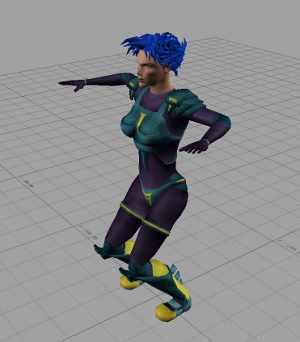
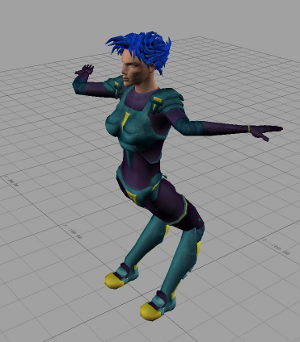
You can set the bending axis for each of your character’s elbows and knees separately.
Inverting joints
To invert a joint for your character, call the HIKInverseJoint function.
HIKInverseJoint(MyCharacter, HIKLeftKnee, 1);
HIKInverseJoint(MyCharacter, HIKRightKnee, 1);
Testing joint inversions
To determine whether or not a joint is inverted, call the HIKIsJointInverted function.
if (HIKIsJointInverted(MyCharacter, HIKLeftKnee) == 0)
{
   ...   // the joint uses the default bending direction
}
if (HIKIsJointInverted(MyCharacter, HIKLeftKnee) != 0)
{
   ...   // the joint is inverted
}
Streaming and saving characters
Your character’s joint inversions are included when you write the character to a binary stream using the HIKWriteToStream() function, but not when you dump your character to a file using the HIKSaveCharacter() function.
 Except where otherwise noted, this work is licensed under a Creative Commons Attribution-NonCommercial-ShareAlike 3.0 Unported License. Please see the Autodesk Creative Commons FAQ for more information.