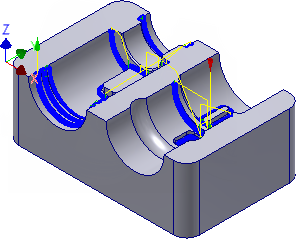
Use the Pencil finishing strategy to remove the material in the smaller fillets. Pencil is a special finishing operation that detects inner corner edges on the surface and creates a toolpath there. This method is particularly effective for finishing small radius fillets.
- On the ribbon, click
CAM tab
 3D Milling panel
Pencil
3D Milling panel
Pencil
 .
.
 Tool tab
By looking at the comparison in the previous step of this tutorial, you can see that the maximum amount of material left is about 1.4 mm. Also, by investigating the model, there are some fillets with a radius of 1.0 mm and some smaller ones of 0.5 mm. This Pencil operation removes most of the material not reachable by the previous tools by using a 3 mm ball mill.
- On the Tool tab, click the
 button.
 - From the Sample Libraries > Tutorial tool library, select tool #22 - Ø3 mm ball.
- Click
 to close the Tool Library dialog.
 Passes tab
- Click the Passes tab.
- Set Stepover: to: 0.14 mm
- Set Number of stepovers: to: 12
Start the Calculation
- Click
 at the bottom of the Operation dialog box, or right-click in the graphics window and select OK from the marking menu, to automatically start calculating the toolpath.
The toolpath is now calculated and a preview appears in the graphics window.
Continue to To Machine Fillets Using Pencil - Part 2...