This sample creates a grid of blocks, download it here.
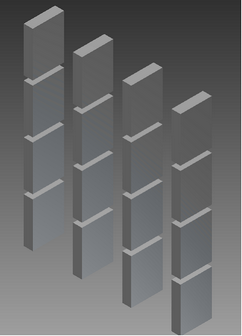
The sample folder includes a complete intent project for Inventor, a task description file (TaskDescription.xml), and a readme file with instructions for running the sample. The sample Intent project creates a grid of blocks. The number of rows and columns is controlled by the Rows and Columns parameters, respectfully. There is a third boolean parameter called Grid? which controls whether the blocks are laid out in a grid pattern or positioned on top of each other at the origin.
To run the sample, open a command window. Enter the following command to change the directory to the location of InventorETOServer.exe:
CD "c:\Program Files\Autodesk\Inventor ETO Server <version>\Bin"
Then enter the following command to run Intent Server and invoke the proper task description file:
InventorETOServer.exe -b "C:\Users\Public\Documents\Autodesk\Intent 2012\Intent Server\Grid\TaskDescription.xml"
This command produces an output folder which includes a copy of the TaskDescription.xml file with the output information added to it. The following are the contents of the TaskDescription.xml file before running:
<?xml version="1.0" encoding="utf-8" ?>
<IntentServer name="Intent Server Sample" outputDir="Output" trace="true">
  <!--Load sample project -->
  <Project name="IntentServerSample" timing="true">
    <!--Create new model -->
    <NewModel name="Simple Model" baseDesign="SuperAssembly">

      <!-- Place blocks in grid, go with the default counts-->
      <SetRuleValue part="Root" rule="Grid?" expression="true"/>
      <Evaluate expression="RenderSelf" timing="true"/>
      <!-- what is a bounding box? -->
      <Evaluate expression="IvExtGetBoundingBox(Root)"/>

      <!-- Change grid size to 10X10 -->
      <SetRuleValue rule="Rows" expression="10"/>
      <SetRuleValue rule="Columns" expression="10"/>
      <Evaluate expression="RenderSelf"/>
      <!-- what is a bounding box now? -->
      <Evaluate expression="IvExtGetBoundingBox(Root)"/>

      <!-- Move ALL blocks into origin-->
      <SetRuleValue part="Root" rule="Grid?" expression="false"/>
      <Evaluate expression="RenderSelf"/>
      <!-- what is a bounding box now? -->
      <Evaluate expression="IvExtGetBoundingBox(Root)"/>

    </NewModel>

  </Project>
  <!-- more projects-->
</IntentServer>
After you run the sample, the TaskDescription.xml file in the output folder looks like this:
<?xml version="1.0" encoding="utf-8"?>
<IntentServer name="Intent Server Sample" outputDir="Output" trace="true" machine="WAL12376058" user="korzuna" intent="4.0.103.0" inventor="2012 (Build 150237000, 237)">
<!--Load sample project -->
<Project name="IntentServerSample" timing="true" start="3/25/2010 1:14:01 PM" end="3/25/2010 1:14:11 PM">
<!--Create new model -->
<NewModel name="Simple Model" baseDesign="SuperAssembly">
<!-- Place blocks in grid, go with the default counts-->
<SetRuleValue part="Root" rule="Grid?" expression="true" result="Success" />
<Evaluate expression="RenderSelf" timing="true" start="3/25/2010 1:14:03 PM" end="3/25/2010 1:14:05 PM" result="{}" />
<!-- what is a bounding box? -->
<Evaluate expression="IvExtGetBoundingBox(Root)" result="{p<10.0, 6.0, -3.5>, p<45.0, 49.0, 3.5>}" />
<!-- Change grid size to 10X10 -->
<SetRuleValue rule="Rows" expression="10" result="Success" />
<SetRuleValue rule="Columns" expression="10" result="Success" />
<Evaluate expression="RenderSelf" result="{}" />
<!-- what is a bounding box now? -->
<Evaluate expression="IvExtGetBoundingBox(Root)" result="{p<10.0, 6.0, -3.5>, p<111.0, 115.0, 3.5>}" />
<!-- Move ALL blocks into origin-->
<SetRuleValue part="Root" rule="Grid?" expression="false" result="Success" />
<Evaluate expression="RenderSelf" result="{}" />
<!-- what is a bounding box now? -->
<Evaluate expression="IvExtGetBoundingBox(Root)" result="{p<-1.0, -5.0, -3.5>, p<1.0, 5.0, 3.5>}" />
</NewModel>
</Project>
<!-- more projects-->
</IntentServer>