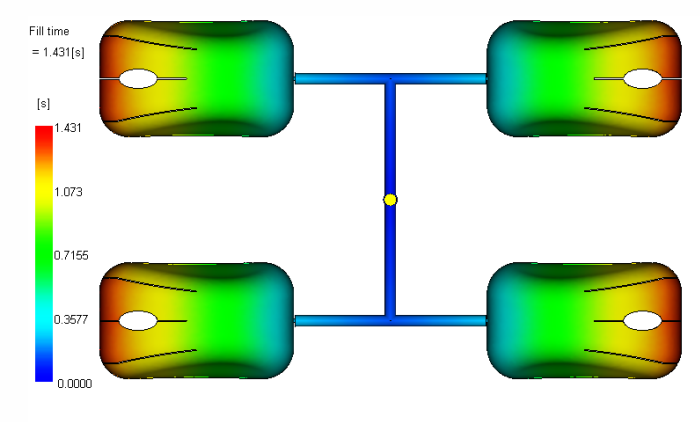
In this task, you will interpret the fill time results.
Click the Fill time result in the study tasks list.
Click (Results tab > Animate panel > Play).
Rotate, pan, and zoom as necessary to see the filling pattern.
The filling pattern is uniform between the 4-parts.
Previous ¦ Next
 ().
().