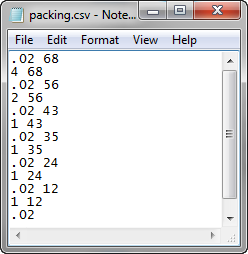
To help speed up data entry and minimize errors that might occur during manual data entry, you can now import tabulated data for the packing profiles and velocity profile dialogs from *.csv files.
- Check the .csv file to ensure the data is correct.
- Click
 () and click Next until you reach the profiles page, which is typically the Fill or Fill+Pack Settings page.
 - Click Edit profile associated with the profile you want to change.
- Click Import Profile, navigate to the saved .csv file, select it and click Open.
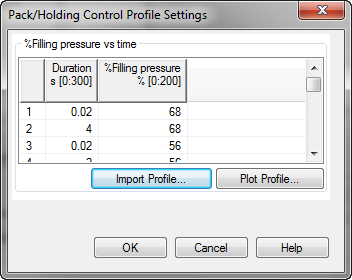
- You can check the profile by clicking Plot Profile.
