After you have loaded your data or connected to it, you can establish relationships between any two feature sources. These relationships are called feature joins. A feature join is saved as a new resource in the repository. When you join feature sources, you create a feature-join resource, which is similar to a relational join in a database, except that you are “extending” a feature resource to create a new one.
The example on the facing page shows how a feature source containing county boundaries is joined to another feature source containing census population data, using the following general steps:
- Select the primary resource (for example, Counties).
- Select the secondary resource (for example, Population).
- Match the feature classes (a feature class is equivalent to a table, for example, Counties or Population).
- Enter a name for the extender property (serves as the prefix for the joined properties, for example, Population).
- Map the identifying properties (for example, ID and CountyID).
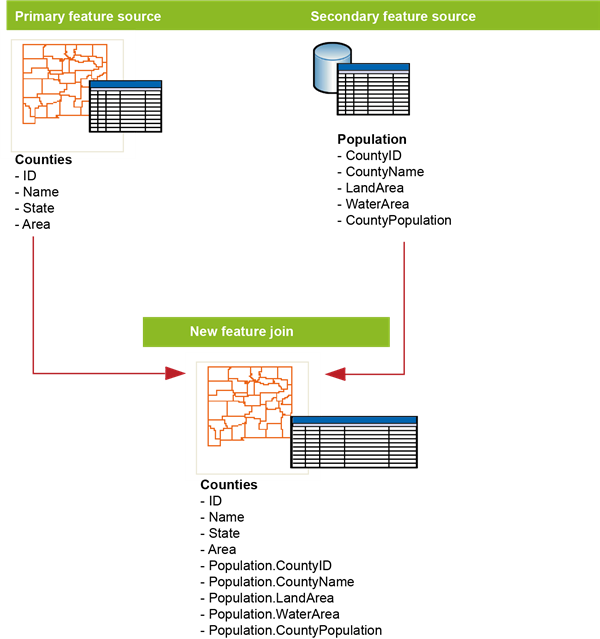
Joining two feature sources