Maya Learning Channel
The Maya Learning Channel on Youtube has been updated with many new movies aimed at beginners and advanced users alike. They include the following:
|
|
Modeling and retopologizing a jacket - a six part tutorial series in that teaches you how to use the Modeling Toolkit and Sculpting tools to create a jacket mesh for a character using proper topology. |
|
|
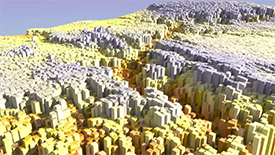
Creating topological art with XGen - a single tutorial showing you how to create unique works of art using XGen, Maya's arbitrary primitive generator. |
|
|
Understanding Bifrost: Simulation Scale - a single tutorial demonstrating how the scale of your scene can make a big difference when simulating liquids using Bifrost. |
|
|
Maya Quick Tips - new Quick Tip videos show you some of Maya's hidden menus, modes, and hotkeys to greatly improve your everyday efficiency. |
|
|
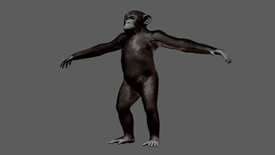
Expert over the shoulder: Grooming a chimpanzee using XGen - a brand new type of learning experience added to the channel. Follow along with an expert artist from start to finish as he creates fur for a chimpanzee model using XGen. |



XGen expression basics and example topics added
A series of topics on expressions has been added to help you use SeExpr expressions in your XGen grooms and landscape scenes. For new users, an introductory topic provides foundational knowledge about expressions while a number of simple examples gets you started using expressions in your XGen Descriptions.
For intermediate and advanced-level users, a collection of examples with commenting lets you build on your existing XGen expression library.
Softimage to Maya Bridge Guide
Additions and updates have been made to most sections in this guide - see Softimage to Maya Bridge Guide for information.
Beginning MEL scripting topics added
A series of topics have been added to help you get started with scripting in MEL. They offer suggestions as to how to explore different types of commands, as well as how to perform common tasks such as: modifying multiple attributes simultaneously using scripting or querying the name of a tool or the type of a node.
Viewport 2.0 API Porting Guide
To learn more about how to port your plug-ins from using the Legacy Default Viewport API to the Viewport 2.0 API, see the Maya Viewport 2.0 whitepaper at http://www.autodesk.com/developmaya.
Creating GLSL shaders learning path
To get started on converting your GLSL shaders to the .ogsfx format for use with the glslShader.mll plug-in, see the Creating GLSL shaders learning path in the Maya Developer Help.
Improving Performance with Parallel Evaluation
The Improving Performance with Parallel Evaluation whitepaper can be found at www.autodesk.com/maya-docs.
Refer to this document for information on how to use the new Evaluation Manager feature to improve playback and manipulation of your animated scenes through scene-level graph analysis and parallelization. In addition, it provides information on the API extensions that your plug-in can implement to take advantage of these features, as well as guidelines on how to use the Profiler to evaluate performance in your scene.