Access to the contextual tools on the right mouse button has been simplified, and the selection has upgraded, to improve your workflow.
You can find the most commonly used tools by simply clicking the right mouse button. The left hand side of the image below shows the legacy right-mouse button menu; the right hand side shows how it looks in this release. All the model manipulation tools are still located at this upper level, and so are accessible with only the single click.
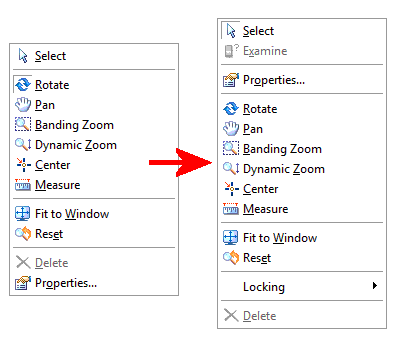
In addition to the existing tools, we have added a few more:
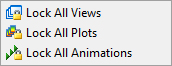
- Locking - this contains tools to simplify the task of side-by-side comparisons of different studies, including Lock All Views, Lock All Plots and Lock All Animations.
- Examine - the result value at a specific point on a model now also available from the right mouse button menu.