A study log is created any time you run an analysis and can be viewed, in an open study, by checking the Logs option above the Results in the Study Tasks pane.
In order to improve the workflow, and save time, particularly with large models, you can view the study log of a study in an open project, without opening the study. There are three ways to access the analysis logs without having to open the study file:
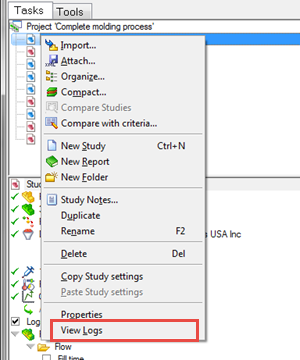
- In the project tree, hover over the study of interest, then click the right mouse button and select View Logs from the drop-down menu
- Open the Job Manager (
 ()), hover over a study in the Studies list, then click the right mouse button and select View Logs from the drop-down menu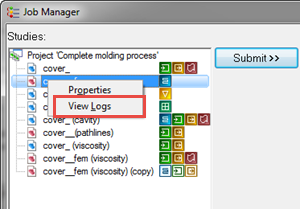
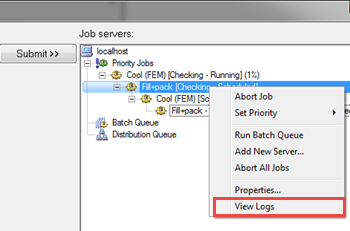
- Open the Job Manager ( ()), hover over an analysis in the Job servers list then click the right mouse button and select View Logs from the drop-down menu
In all cases, the study logs will open in a new window, with all the log tabs available for selection.