Create a 2D orthotropic composite material.
- Right-click on Materials and choose New.
- Change the Name to Carbon/Epoxy Composite.
- Set the Type to Orthotropic 2D.
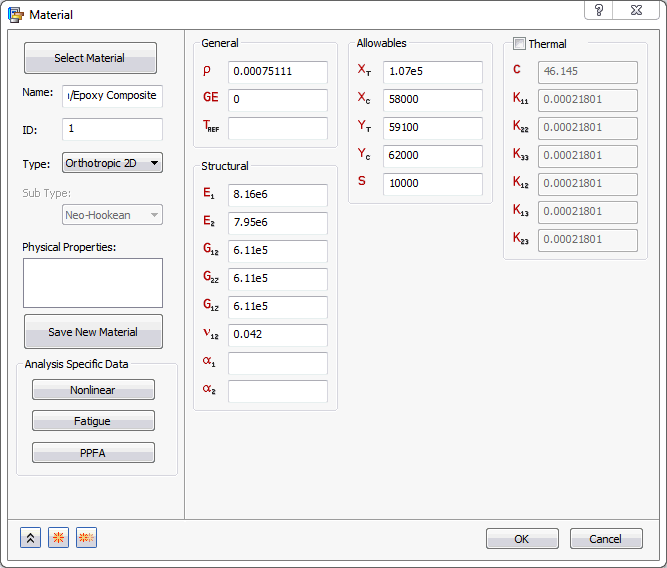
- Set the values for material properties under the
General,
Structural and
Allowables sections as shown in the image below.
- Click OK to create the material.