For modal frequency response solutions, the dynamics setup options are a little different. In this particular analysis, you are going to only be interested in the first flexural mode of the structure do to the frequency dependent loading.
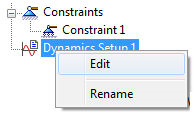
- In the tree view, right-click on Dynamics Setup 1 and select Edit.
- Click the Cluster between Modes checkbox and select Linear under Increment.
- For Lowest Frequency enter 100.0 and for Highest Frequency enter 350.0.
- Enter 10 in the Number of Points between Modes.
- The Bias Factor should be set to a default value of 1.
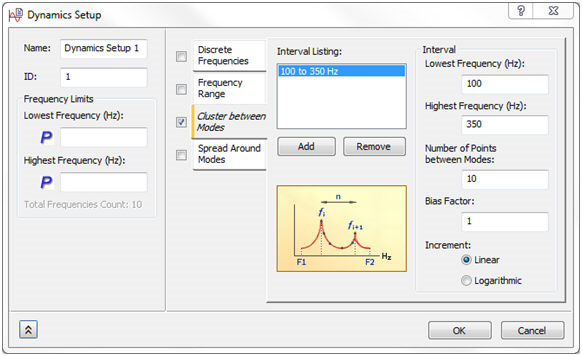
- Click OK to accept the changes.