Apply the Constraints
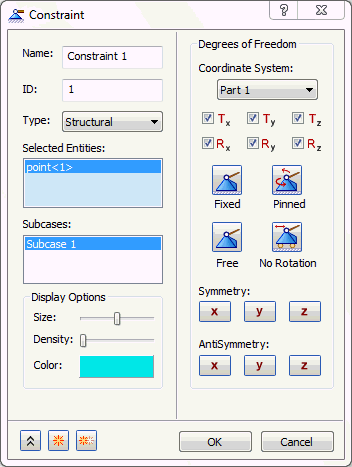
In the tree view, right-click on
Constraints
and select
New
.
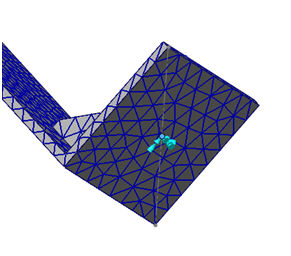
Select the point at the base of the model to be fixed in all 6 degrees of freedom.
Click
OK
to accept the default fixed constraint settings.
Parent topic:
Modal Frequency Response of a Bracket