- In the tree view, right-click on Physical Properties and choose New.
- Change the Name to Punch and Die Property.
- Select Solid Elements from the Type drop-down.
- Check Associated Geometry and select forming die and forming punch parts.
- Make sure
Ti-5Al-2.5 Sn Wrought Cast is selected from the
Material drop-down.
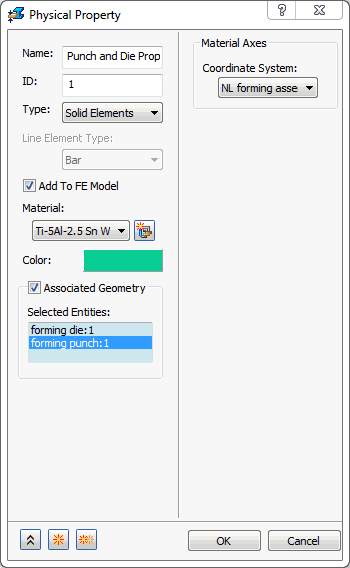
- Click on
 New button.
- Name the second property Sheet Slab Property.
- Select Solid Elements from the Type drop-down.
- Check Associated Geometry and select forming slab.
- Make sure
Sheet Cb+Ti is selected from the
Material drop-down.
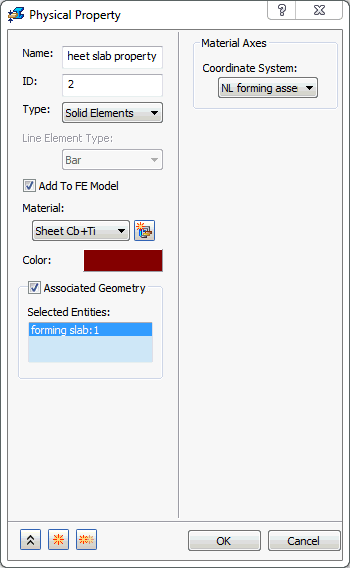
- Click OK to create the physical property.