- Right-click on Loads and select New.
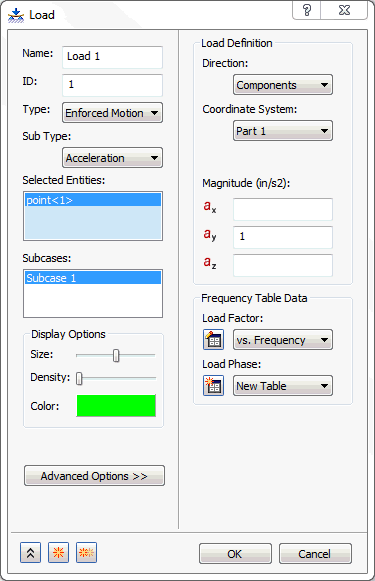
- Select Enforced Motion in the Type drop-down menu and Acceleration in the Enforced Motion Types drop-down menu.
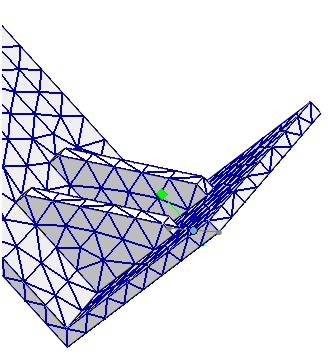
- Click the constrained point at the base of the structure.
- Type in 1.0 in the ay box under Load Definition.
- Click the
 New Table button next to the
Load Factor drop-down, under the
Frequency Table Data section.
New Table button next to the
Load Factor drop-down, under the
Frequency Table Data section.
- Define your table as shown below, by double-clicking in the cells. Notice that the values are along the frequency of interest. Change the
Name to
vs. Frequency.
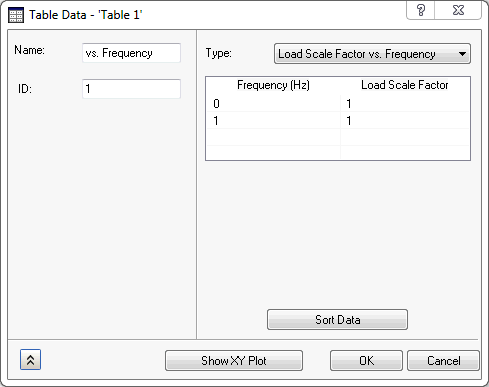
- Choose Load Scale Factor vs. Frequency from the drop-down menu.
- Click the
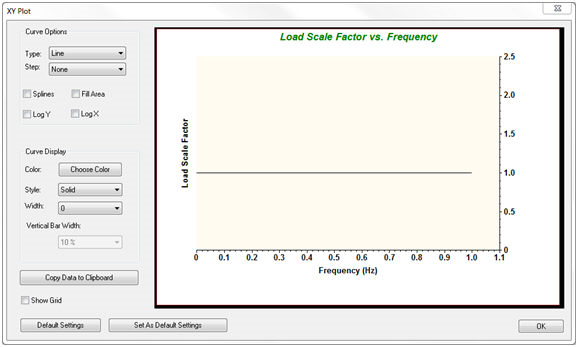
Show XY Plot button to see the plot. It should look as shown below.
- Click OK on the XY Plot dialog.
- Click OK on the Table Data – ‘Table 1' dialog.
- Click OK on the Load dialog.
 With enforced motion loads (displacement, velocity, and acceleration), the direction that is desired to be enforced must be constrained. This may seem awkward, but just remember that enforced motion is constrained motion.