- Right-click on Mesh Model and select Edit.
- Change the Element Size to 0.25.
- Make sure that Element Order is set to Parabolic.
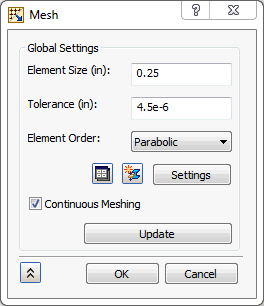
 These settings will produce a “bad” mesh for a production run. This mesh is used as an example to demonstrate Modal Frequency Response. Normally, the mesh would be detailed.
 - Click OK.