- In the tree view, right-click on Constraints and choose New.
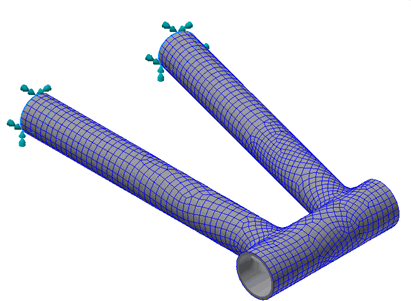
- Select the outer edges (not the entire surface) at the ends of the top tube and bottom tube.
- Be sure that Subcase 1 is selected in the Subcases list.
- Leave all the defaults in the Constraint dialog.
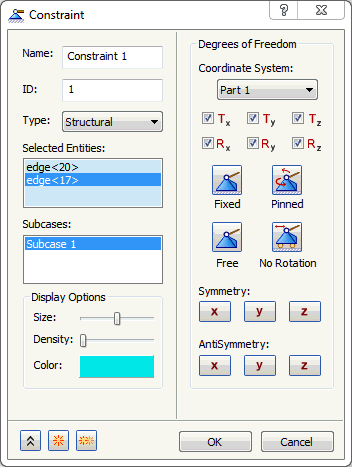
- Click OK to create the fixed constraint.