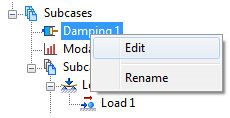
- In the tree view, right-click on Damping 1 and select New.
- Uncheck Structural Damping if it is checked by default.
- Select the Modal Damping checkbox and select Constant from the Type drop-down under Modal Damping.
- Select Structural from the Damping Definition drop-down menu.
- Enter 0.05 for the Damping Value.
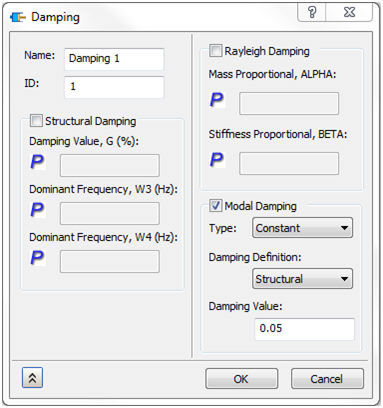
- Click OK to accept the changes.