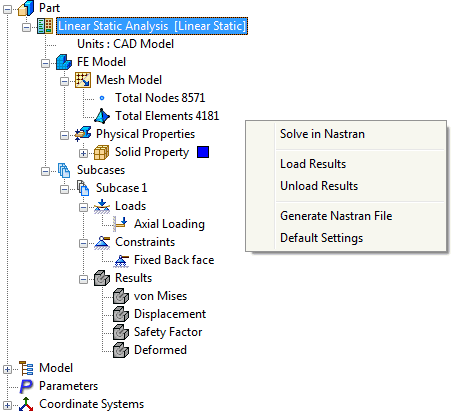
Click on the Default Settings button under the System panel on the ribbon or click on Autodesk Nastran 2016 – Default Settings at the top of the tree and select Default Settings to open the window below.
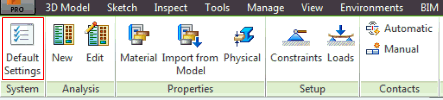
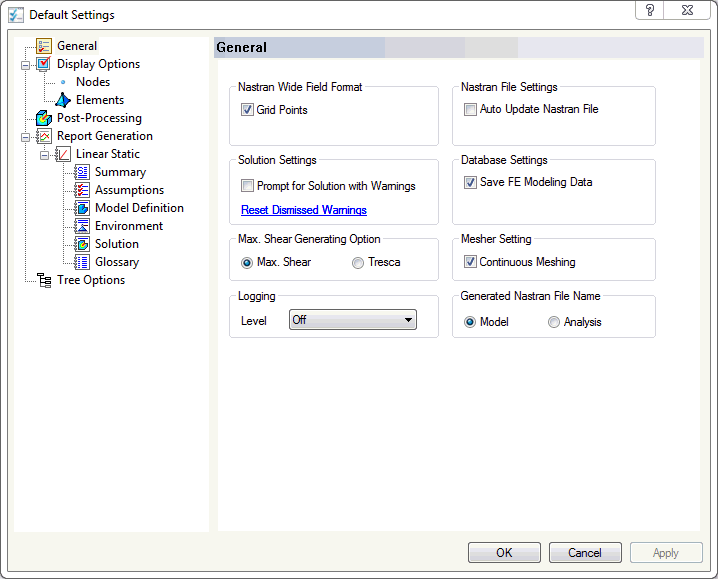
Default Settings has the following options:
- General - Allows users to set the Nastran field format, the solution, database, file and mesher settings.
- Nastran Wide Field Format: If Grid Points is checked, the Nastran deck will have the grid point entries in large field format (other Bulk Data entries will have this capability in future versions of Autodesk Nastran In-CAD ). Large field format can be used when small field format doesn’t provide enough significant digits.
- Solution Settings: If Prompt for Solution with Warnings is checked, Autodesk Nastran In-CAD will prompt the user if it should continue writing the .NAS file even when the solver encounters problems/errors with the model setup. If unchecked, the pre-processor will stop and terminate the creation of the Nastran Bulk Data file (*.NAS file) if problems in the model setup are found (i.e. linear static analysis with no load appearing in the first subcase). Reset Dismissed Warnings will set all the dismissed warning messages to default.
- Max. Shear Generating Option: The user can select between Max. Shear or Tresca failure criterion.
If Tresca is selected, then Shell and Solid Tresca results are calculated and an output vector is created for the analysis that is completed. Tresca uses the equation: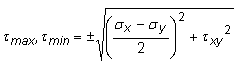
Where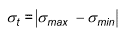
 and
and  are the maximum and minimum principal stresses.
 - Logging: This option is used for technical support of the software only. The setting should always be Off unless a support request is being submitted to Autodesk, Inc.
- Nastran File Settings: If Auto Update Nastran File is checked, the Nastran (.nas) file will continuously be updated. If checked, the user may notice performance delays while assembling the model. A Nastran file will always be generated when performing a Nastran solution, but this setting is primarily needed for running Nastran solutions from the Nastran File manual edit window.
- Database Settings: If Save FE Modeling Data is unchecked, the finite element model information (loads, constraints, mesh etc.) will not be saved to the CAD model file upon saving. This is one method to clear the Autodesk Nastran In-CAD infromation from a CAD model.
- Mesher Setting: Continuous Meshing of the model can be checked on or off. Currently, this feature is only available for shell elements.
- Generating Nastran FiIe Name: Can be done for the Model or the Analysis.
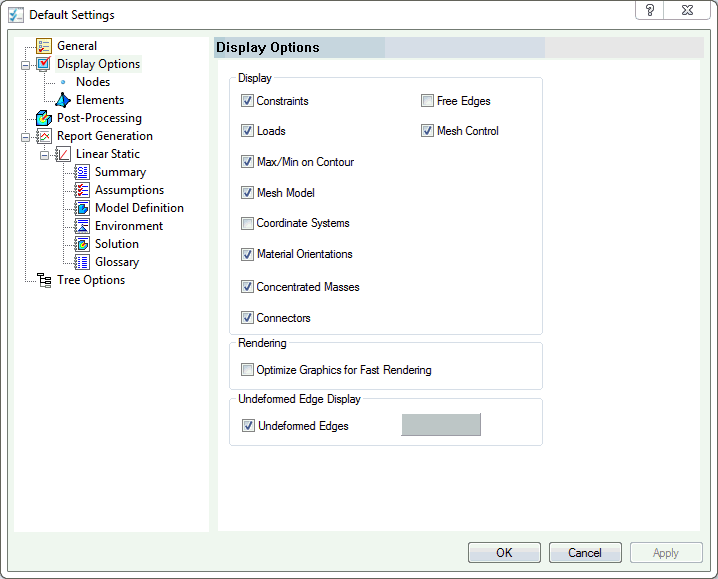
- Display Options - Allows users to set global visualization of constraints, loads, max/min on contour, meshes, coordinate systems, material orientation, concentrated mass, connectors, free edges, mesh control etc.
- Display: Free Edges will allow checking the continuous meshing between parts.
- Rendering: Will optimize the graphics for fast rendering loads and constraints.
- Undeformed Edge Display: Will display the undeformed edges when deformed plot is displayed.
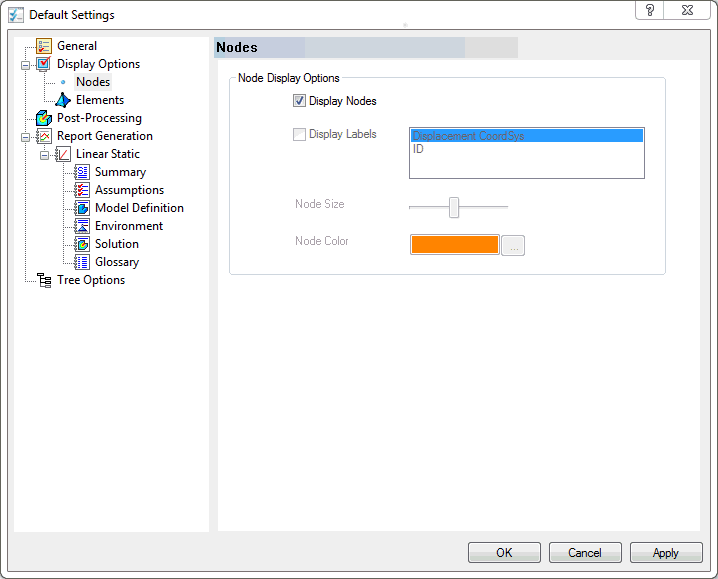
- Nodes: Defines settings for the visualization of nodes in the model. Users can choose to display nodes with either the displacement coordinate system or id tag. The size and color can also be changed.
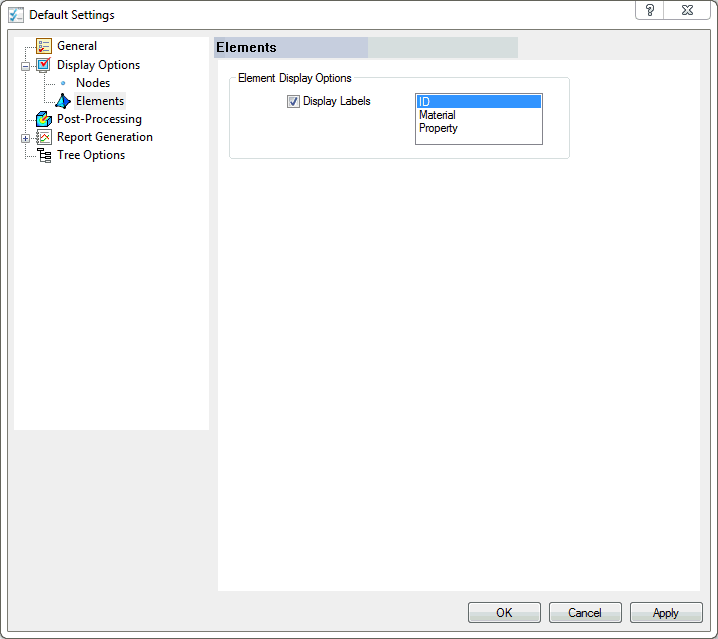
- Elements: Users can choose to display labels for elements in the model by id, material, or property.
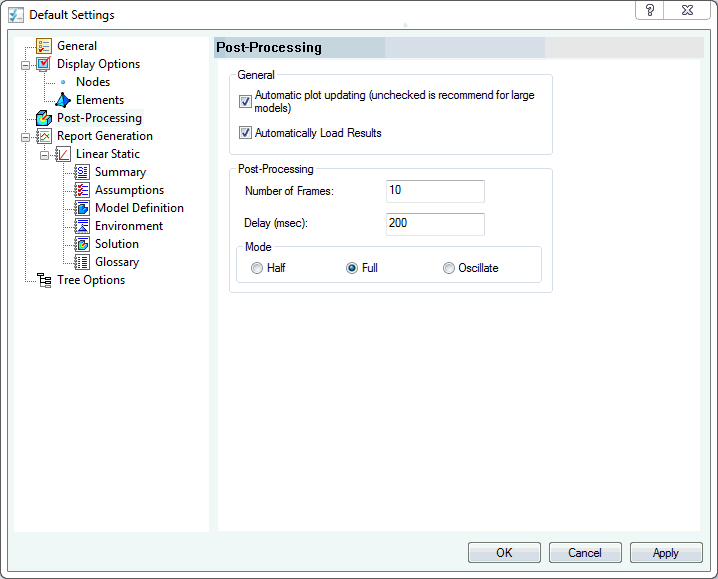
- Post-Processing - Allows users to set the default settings for post-processing options.
-
General:
- Automatic plot updating (unchecked is recommend for large models).
- Automatically load results. It allows you to load the results automatically when model is opened.
- Post-Processing: Allows you to set default settings for Animation, such as: Number of Frames, Delay (in milliseconds between frames), and Mode of oscillation (either half full or oscillate).
-
General:
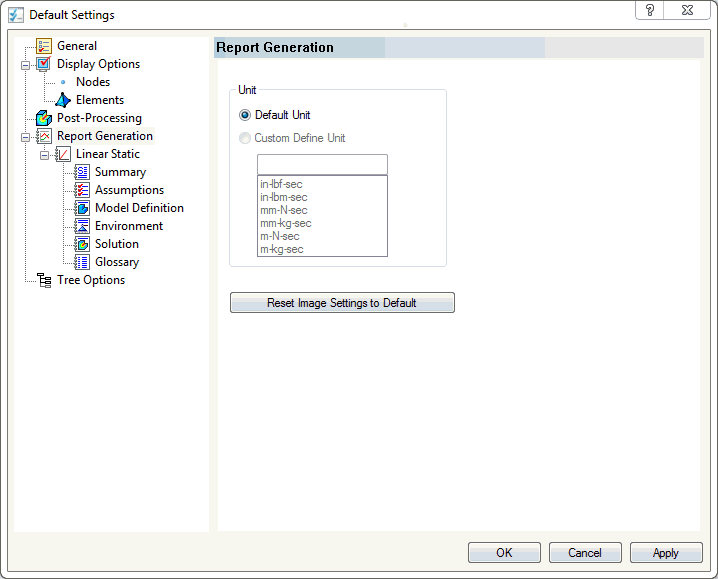
- Report Generation - Defines the settings for report generation and allows users to customize the text written to the report. Reports can only be made for Linear Static solutions currently.
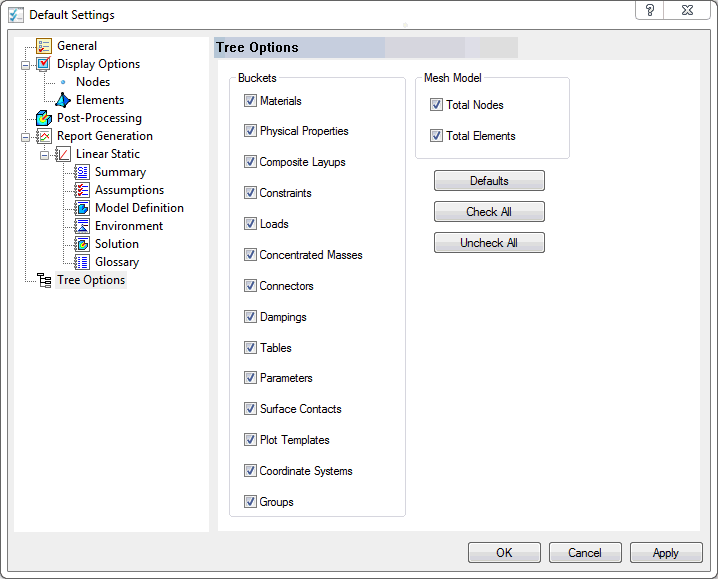
- Tree Options - Allows users to simplify the design tree by selecting and deselecting tree items that are not needed or desired.
 The Default Settings window can also be accessed by right-clicking an empty space of the Autodesk Nastran Model tree and selecting Default Settings.