To access
Autodesk Nastran In-CAD in Autodesk Inventor, click on
Environments, then click on
Nastran In-CAD
 icon. This will open the
Autodesk Nastran Ribbon bar as shown in the figure below.
icon. This will open the
Autodesk Nastran Ribbon bar as shown in the figure below.

The Autodesk Nastran Ribbon icons are described in more details in the Autodesk Nastran Ribbon Bar (Inventor) section.
You can use the Ribbon bar to quickly setup an analysis in Autodesk Nastran In-CAD as follows:
- Click on Edit in the Analysis panel to define the analysis.
- Click on Import from Model in the Properties panel if you define the same materials assigned in the Model tree environment. Otherwise, to define a new material, click on the Material button.
- Click on the Physical button in the Properties panel to define the physical property.
- Define the Constraints and Loads by selecting the respective icon in the Setup panel.
- If any contacts need to be defined, click on the Automatic or Manual icons in the Contacts panel, based on the requirement.
- Define mesh using Global or Table mesh buttons, or just update the mesh with the default mesh settings by clicking Update All button under the Mesh panel in the ribbon. If you want to hide or show the hidden mesh, click Show/Hide button.
- Click on the Run button in the Solve panel to run the analysis.
- Click on Contour and Deformed buttons under the Results panel, which allows you to plot the default contour and deformation.
- If any multi set results are solved and loaded, like increments / time steps, etc., you can use the Previous or Next buttons under the Results panel to view them.
- Click on Options button in the Results panel if you want to edit the plot template of results.
- Click on Probe or Animate in the Results panel if you want to probe or animate results.
- To unload the results, expand the Results panel and click on the Unload Results button.
- Once the analysis is done, click on the Finish Autodesk Nastran button to close the Autodesk In-CAD Environment.
The other features available in the Autodesk Nastran Ribbon bar are as follows:
 All Bodies Display: It allows you to display the CAD model if it is hidden.
 Probe: It allows you to query the results.
 Animate: It animates only single set animation.
 Help: It launches online user manual with the detailed explanation of each feature.
 Tutorials: It launches online tutorial with examples of different analyses setup.
 About: It pops up the Autodesk Nastran In-CAD version and other details as shown in the image below.
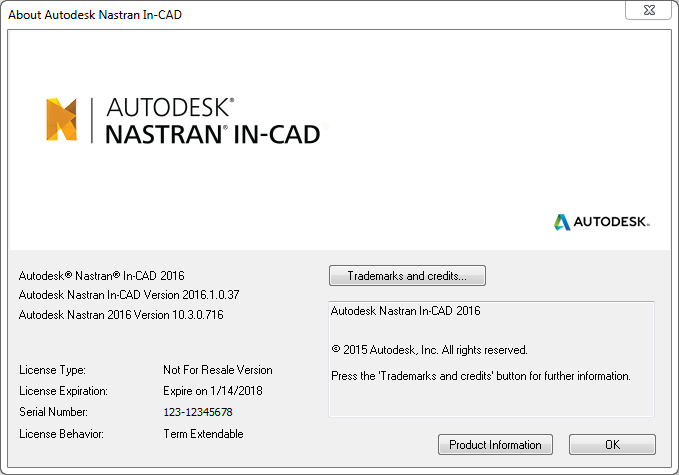
- Click on
Product Information button to see the product license information as shown in the image below.
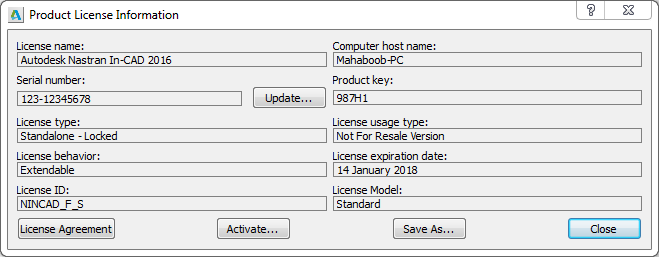
- Click on
Product Information button to see the product license information as shown in the image below.
 Read Me: It links to the online ReadMe webpage.
 Forum: It links to the online forum webpage.
 Verification Manual: It launches verification manual pdf file, which has all the benchmark and NAFEMS cases.