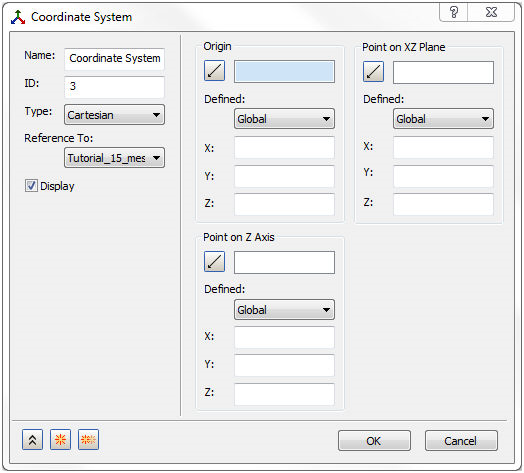
Right-click on Coordinate Systems in the Model tree and select New. The form shown in the figure below pops up.
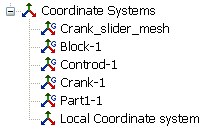
Multiple Coordinates Systems can be viewed at a time by right-clicking on Coordinate System in the Autodesk Nastran In-CAD feature tree and selecting which coordinate options you desire.
The Global Coordinate systems are shown with G in the icon and the tree view looks as shown below :
The form has the following main sections:
- Name: Enter a name for a new coordinate system in this field, for example, Bottom Cup Cylindrical.
- ID: The ID of the coordinate system is automatically updated.
- Type: Three types of coordinate systems are available:
- Cartesian
- Cylindrical
- Spherical
- Reference To: This pull-down menu has a list of all the coordinate systems available in the part or assembly model with default names from the parts’ names.
- When a new coordinate system is defined, it can be referenced to any other coordinate system in the list.
- Consider the example shown in the figure below. In order to define a cylindrical coordinate system at the origin of the part coordinate system Short Ring Origin, it can be selected in the list and then enter (0, 0, 0) in the Origin X, Y and Z fields.
- Display: Check this box if you want the coordinate system to be displayed.
- Origin: There are multiple ways to define the origin of a coordinate system. Note that these methods also apply to the Point on Z Axis and Point on XZ Plane sections.
- XYZ coordinates can be entered manually in the global or a reference coordinate system in the Defined pull down menu.
- Click on the point
 icon. A vertex or a sketch point can be selected in the model area to define the origin in the global coordinate system as shown in the example below.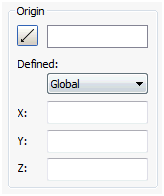
- Alternatively, after selecting a point, clicking on the point icon again will allow the xyz coordinates to be modified from the original location (by adding or subtracting values in the fields). Note that the y-coordinate has 1.0 units added to it.
- In order to clear a selected point, right-click in the model area and choose Clear Selections in the form.
- The following example illustrates the creation of a cylindrical coordinate system.
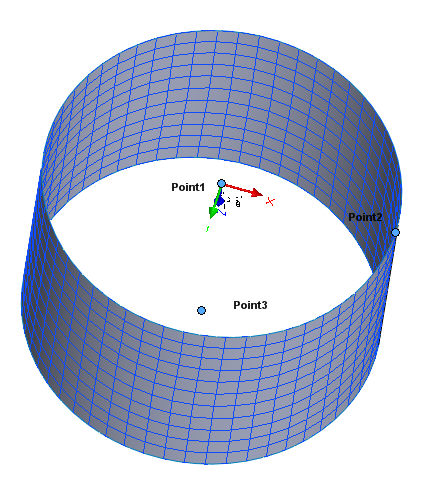
- The following methods can be used to create a cylindrical coordinate system at the center of the top edge of the ring:
- In Autodesk Nastran In-CAD Modeler, a sketch can be created with 2 points, one at the center and the other on the edge, then select Point1 at the center of the top edge to define the origin.
- Select the origin of the part and add the ring height to Y and leave X and Z at zero.
- Select the part coordinate system using Reference To in the Name section, switch to Reference beside Defined and enter the origin coordinates directly with respect to the part’s origin.
- After defining the origin, choose/define the Point on Z Axis and the Point on XZ Plane sections in a similar fashion.
- The figure above shows the r – theta – z axes of the new system.
- The following methods can be used to create a cylindrical coordinate system at the center of the top edge of the ring:
- Point on Z Axis: After defining the origin, choose/define the Point on Z Axis section in a similar fashion.
- Point on XZ Plane: After defining the origin, choose/define the Point on XZ Plane section in a similar fashion.