Specify options to import and export elements between Advance Steel and Revit.
You can access the Settings dialog in the Add-Ins tab > Advance Steel Extension panel in the ribbon and find the following options:
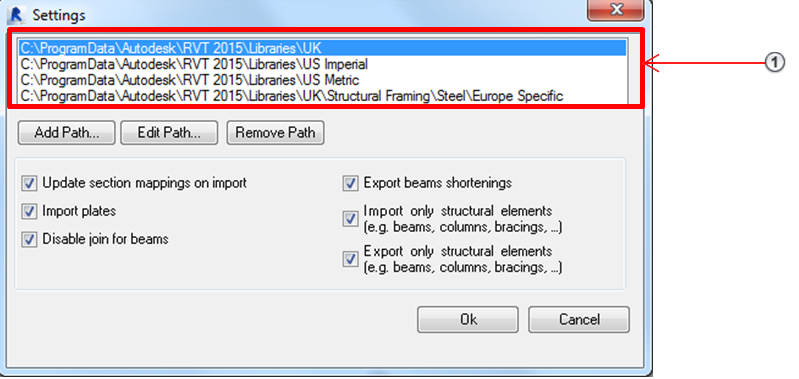
 - Path configuration for Revit library - Steel section definitions
- Update section mappings on import - Allows manual mapping definitions to be saved in the database.
- Import plates - Allows the import of Plate objects in Revit.
- Disable join for beams - Disables the automatic Revit joint for steel beams during import .
- Export beam shortenings - Exports shortenings to Advance Steel for beams joined automatically by Revit.
- Import only structural elements and Export only structural elements - Turns the import/export of only structural elements (beams, columns etc.) on or off.