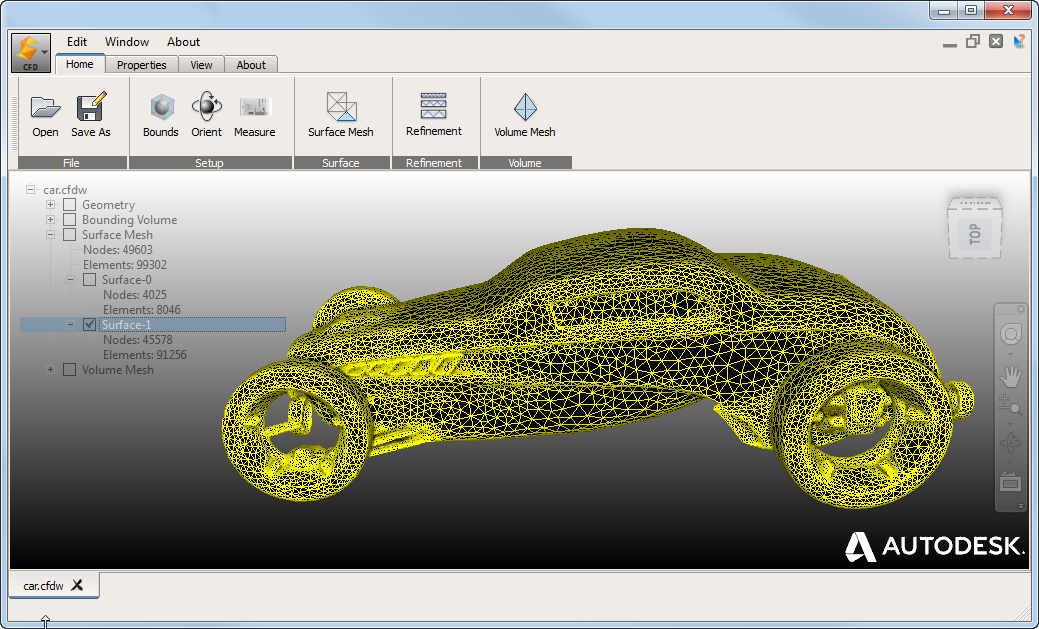
Use Autodesk® Surface Wrap to surface wrap a model, add an external volume, and generate a quality mesh for import into Autodesk® CFD. You can easily generate a mesh for CAD models that might otherwise be difficult or impossible to mesh without extensive CAD cleanup. Currently, Surface Wrap meshes are appropriate for external flow analyses or wind tunnel type models.
Access Surface Wrap
While Surface Wrap is not part of the CFD application, you can select it in the Application Menu: 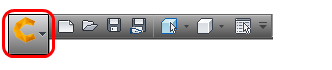
You can also access it from your Windows® Start menu (Autodesk  CFD 2016 Autodesk Surface Wrap for Autodesk CFD 2016).
User Interface
While Surface Wrap uses some of the same user interface features as CFD, there are some notable differences:
- To display help for a Surface Wrap command, click the Help button and then the command.
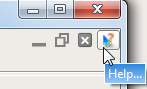
- Your Surface Wrap browser provides a wealth of information and, depending on context, more control over objects. For example, when you size a bounding-box, you can enter values into the browser fields.
- You can control Surface Wrap object visibility using the checkboxes in the browser.
- Surface Wrap does not use a right-click context menu.
General Workflow
- Use Home File Open to read in your model.
- Set up your model in the wind tunnel bounding-box.
- Click Home Setup Bounds to activate the box.
- Size the box using the manipulators, or enter values in the browser entry fields.
- To skew the model relative to the box, click Home Setup Orient and drag the smaller box.
- Click Home
- Use Home Surface Surface Mesh to wrap your model. Notable highlights:
- High values for Model surface automatic repair precision gives you a mesh that closely represents the physical model.
- Larger values for Surface mesh gradation proximity bias give you a finer mesh for parts close to one another.
- If appropriate, use Home Refinement Refinement to add volume refinement regions.
- Use the checkboxes in the browser to view the refinement region and other objects.
- Specify the target mesh size within the refinement region with the Refinement factor.
- As with the bounding-box, you control the refinement region size with manipulators and browser entry fields.
- To modify or remove a refinement region, right-click the region in the browser tree and select the appropriate command.
- Create your volume mesh with Home Volume Volume Mesh.
- Use View Clipping Clipping to view the internal mesh.
- Use View
- Click Home File Save As to export your mesh for use with CFD.
- Save to Universal (*.unv) or Nastran (*.nas) CAD mesh file formats.
- You can also save to Surface Wrap (*.cdfw) format for future modification.
- In CFD, create a new design study and import your mesh.
Note: View and modify your surface mesh before volume meshing as the latter tends to be resource-intensive.