Next, we will apply fixed boundary conditions to the four nodes at the base of the model.
- Click
 View
View Navigate Orientation Front View.
 - With the
 Selection Shape Point or Rectangle and
  Selection Select Vertices commands active, click and drag to draw a box enclosing the bottom of the model as shown in the following image.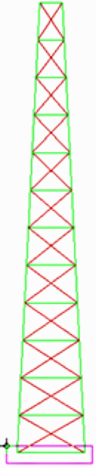
- Click
 Setup Constraints General Constraint. Notice that the text in the title bar of the dialog box:
 "Creating 8 Nodal General Constraint Objects"
The reason for this is because there are two coincident vertices at each corner of the base, one for each part.
- Click Fixed.
- Click OK.