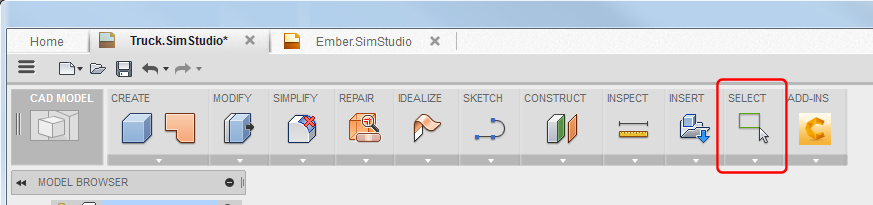
All commands presented here are located in the SELECT panel, or in the right-click context menu.
Selection Sets
To easily access groups of objects, save them to selection sets.
Command Highlights:
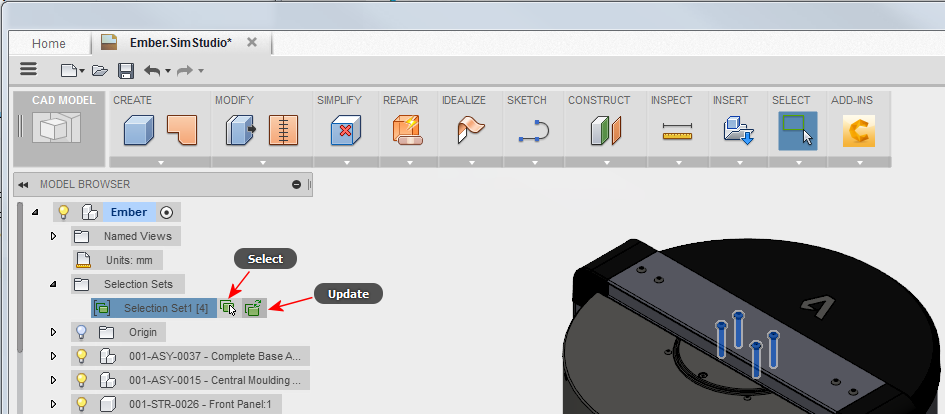
- Select objects in the browser and graphics window, right-click, and select Create Selection Set.
- On the selection set browser node:
- Click Select to activate the objects in the set.
- To add objects to a set, select all objects and click Update.
- To create a selection set of faces, change SELECT
 Selection Priority to Select Face Priority.
Select by Size
Use SELECT Selection Tools Select By Size to select objects based on size.
Command Highlights:
- Drag the Size sliders, or enter values in the dialog box fields, to set the minimum and maximum object sizes.
Select by Boundary
Use SELECT Selection Tools Select By Boundary to select objects within a boundary shape you define.
Command Highlights:
- Cursor-based tooltips guide you through the process.
- With Centroid selection active, you can click different bodies. However, Boundary Size changes with each selection.
- Click Intersected to also select objects that intersect the boundary.
- Use the manipulators and dialog box entry fields to set theBoundary Size values, as appropriate.
- To set dimensions, you can also click the dialog drop-down arrows and select dimensions, Measure, or Re-anchor.
Select by Name
Use SELECT Selection Tools Select By Name to select an object by name.
Command Highlights:
- Select Bodies and Components.
- Name is not case-sensitive.
- All objects with names that contain the Name string are selected. That is, the object name does not need to exactly match the search string.
Select All Occurrences
Right-click on an object and click Select All Occurrences to select every instance of that object in the model.
Command Highlights:
- Selects all instances of an object throughout the model.
Select Similar Occurrences
Right-click on an object and click Select Similar Occurrences to select every object with the same geometry.
Command Highlights:
- Selects all objects with identical geometry, regardless of object names.
- Selects all objects selected by Select All Occurrences, plus any other objects that have the identical geometry.