Use the Checkout command to perform a quick checkout on a file in the Vault client.
A quick checkout always gets the latest version of the file. If you want to get a specific version or revision of a file, see the Get command.
Note: The file is checked out but is not automatically downloaded to the working folder.
Perform a Quick Checkout
- Right-click on the file that you want to check out and select Checkout.
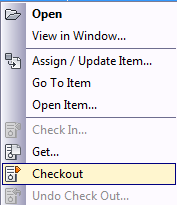
The file is checked out to you.