통합 단계 1d: 시각적 디버깅 설정
Navigation Lab의 라이브 시각적 디버깅 기능은 성공적인 통합 및 일반적인 Gameware Navigation 사용에 매우 중요합니다.
- 시각적 디버깅 시스템을 시작 및 중지하려면 World::StartVisualDebug() 및 World::StopVisualDebug() 메서드를 사용하십시오.
- 주 게임 루프에서 VisualDebugServer::NewFrame() 메서드를 호출하여 각 프레임의 시작 부분을 표시해야 합니다. 그러면 보류 중인 메시지를 Navigation Lab으로 보내고 시각적 디버깅 시스템에서 유지하는 현재 프레임 인덱스를 증분(또는 설정)합니다.
예: [Tutorial_FirstIntegration.cpp의 코드]
bool MyGameWorld::Initialize()
{
    ...
    const KyUInt32 databaseCount = 1;
    m_world = *KY_NEW Kaim::World(databaseCount);

// Visual debugging is disabled in Shipping builds. Even though the symbols and functions are available, they do nothing.
// Guarding this code is not necessary, but is recommended in order to prevent useless computations.
#ifndef KY_BUILD_SHIPPING
    // Create a configuration object for the visual debugging server
    Kaim::VisualDebugServerConfig visualDebugServerConfig;

    // Set up its class members
    const KyUInt32 serverPort = Kaim::VisualDebugServerConfig::DefaultServerPort();
    visualDebugServerConfig.UseNavigationLab(serverPort);
    visualDebugServerConfig.SetWaitOnStart( Kaim::VisualDebugServerConfig::DoNotWaitOnStart );

    // Activate visual debugging
    KyResult startResult = m_world->StartVisualDebug(visualDebugServerConfig);
    if (KY_FAILED(startResult))
    {
        return false;
    }
#endif
    ...
}
...

void MyGameWorld::Update(float deltaTimeInSeconds)
{
    m_world->GetVisualDebugServer()->NewFrame(m_gameFrameIdx);
    ++m_gameFrameIdx;
    ...
}
...

void MyGameWorld::Destroy()
{
    ...
    m_world->StopVisualDebug();
    m_world = KY_NULL;
}
테스트
- 게임을 시작합니다.
- Navigation Lab을 시작합니다.
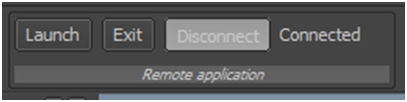
- Navigation Lab에서 왼쪽 상단에 있는 Remote Application 도구상자의 Connect 버튼을 클릭합니다.
대화상자가 나타나면 게임을 실행하는 호스트의 IP 주소(또는 Navigation Lab을 게임과 동일한 컴퓨터에서 실행 중인 경우 localhost)를 입력합니다. 게임 코드에서 시각적 디버깅 시스템에 대해 구성한 것과 동일한 포트 번호를 입력합니다. 끝으로, 대화상자에서 Connect를 클릭하여 연결을 설정합니다.
 다른 설명이 없는 한, 이 저작물은 크리에이티브 커먼즈 저작자표시-비영리-동일조건변경허락 3.0 Unported 라이선스에 따라 이용할 수 있습니다.자세한 내용은 Autodesk 크리에이티브 커먼즈 FAQ (영문)를 참조하십시오.