設置並執行分析
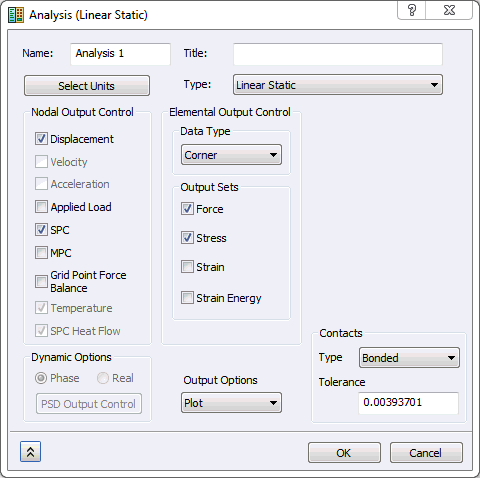
在樹狀檢視中,於
「分析 1」
上按一下滑鼠右鍵,然後選取
「編輯」
。
在
「元素輸出控制」
下方,勾選
「力」
做為
「輸出集」
。
按一下
「確定」
。
儲存模型。
在
「分析 1」
上按一下滑鼠右鍵,然後選取
「在 Nastran 中解析」
。
上層主題:
作為斷面的元素性質