Detail explode window
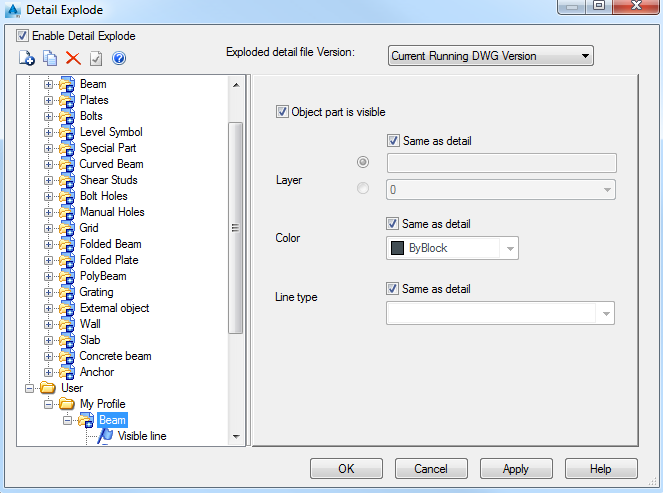
Enable Detail Explode
Enables the Detail Explode Settings. While exploding the details, for each object or sub-object a corresponding setting will be searched in the Current Profile. If there is no setting, the explode settings will be used from Advance Steel category.
Exploded detail file Version
Controls the created .dwg file version for the details. The following versions are available:
- AutoCAD R13 DWG
- AutoCAD R14 DWG
- AutoCAD 2000 DWG
- AutoCAD 2004 DWG
The toolbar
|
Button |
Function |

|
Creates a new profile. |

|
Copies the selected. |

|
Deletes the selected profile. |

|
Defines the selected profile as current. |
Profile list
The left panel of the window displays the available detail explode profiles grouped in two categories:
- Advance - This category includes all the detail explode profiles available in Advance Steel. Their configuration cannot be modified.
- User - This category includes user defined detail explode profiles that can be modified.
Each detail explode profile contains the settings for the elements used for an Advance Object representation.
Example: In a detail drawing, several lines are used to represent the ACIS elements of a Beam. For each line you can define the layer, the color and the line type.
Settings panel
When an item is selected in the tree panel, the item's properties are displayed in the right side.
Object part is visible
Layer
Defines the layer on which the selected category of lines (ACIS elements) will be grouped:
- Same as detail: The ACIS elements will be placed on the same layer as the detail.
- A new layer: Enter the layer name.
- An existing layer: Select the layer from the drop-down list.
Color
Defines the color used to represent the selected category of lines (ACIS elements):
- Same as detail: The ACIS elements are represented using the same color from the detail.
- A selected color: Select the color from the drop-down list.
Line type
Defines the type of line used to represent the selected category of lines (ACIS elements):
- Same as detail: The ACIS elements are represented using the same line type from the detail.
- An selected line type: Select the color from the drop-down list.
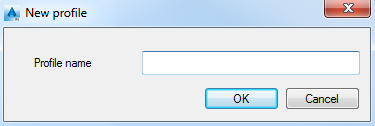
New profile dialog box
Profile name
Defines the name of the created profile.
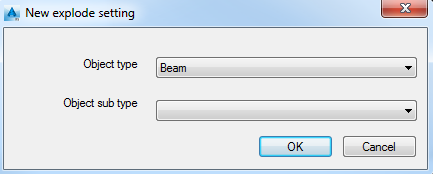
New explode settings dialog box
Object type
Select the object type for which the settings are defined.
Object sub-type
Select the line for which the settings are defined.