Besides filtering a bill of materials created on a detail based on the object type, you can also use all the options available in the Search filter tool, including Model Role filtering, Material, Level etc.
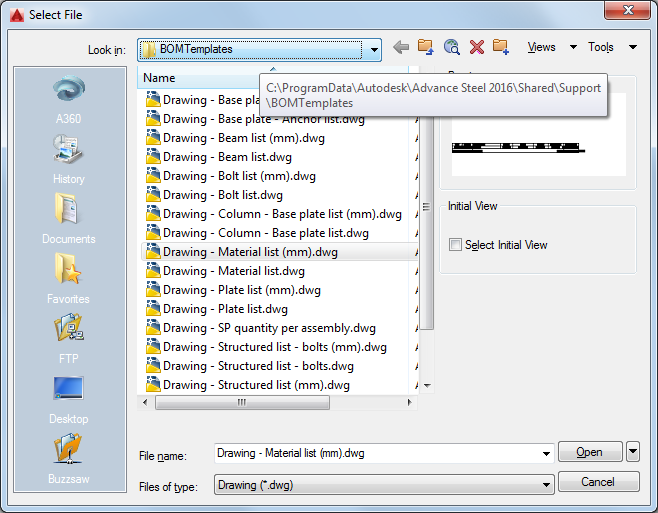
To set up your filter, you need to open a BOM on drawing template:
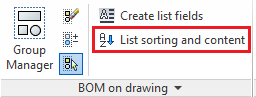
Access the List sorting and content dialog from the Output tab > BOM on drawing panel:
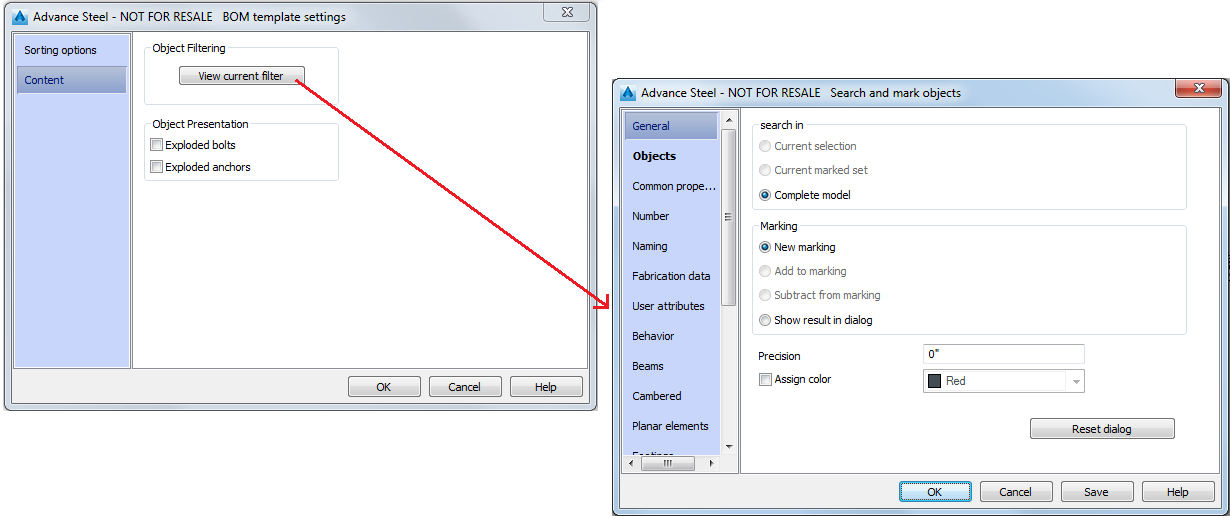
In this window, you will notice that the Content tab has 3 options:
- View current filter button : gives you access to the Search filter window, where you can use any of the options it offers.
- Exploded bolts, Exploded anchors: to show only these exploded elements - these are Presentation options, that are not originally included in the Search filter. After completing your filter setup and validating your changes, by clicking the OK button, simply save and close the template file, then use it in a detail drawing. The bill of materials will only include all objects that match the criteria you chose for the filter.