The essential skills videos demonstrate basic workflows that you should master when learning Alias. The videos present general steps for a particular process to give you an understanding of the concepts. These are not step-by-step tutorials. The intent of these videos is to give an overview of core concepts for modeling with Alias.
|
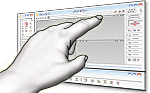
Discover the User Interface
Presents main areas of the Alias user interface. You're introduced to the palette, shelves, control panel, and mouse button behavior. Length: 4:11 |
|
Create and Edit Objects
Learn how to create and edit objects in Alias. Length: 3:53 |
|
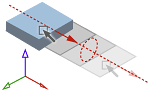
Transform Objects
Learn how to move, rotate, and scale objects in Alias. Length: 4:15 |
|
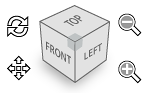
View Manipulation
Learn how to adjust your view of the scene in Alias using the Layouts menu, keyboard shortcuts, and the ViewCube. Length: 1:58 |
|
PIck Objects
Learn how to select objects and object components in Alias. Length: 2:35 |
|
Visualization
Learn how to render and visualize your designs in Alias, for either diagnostic or presentation use. Length: 4:06 |