For information on Process Analysis 360, please refer to the online Help system at http://help.autodesk.com/view/FPA360/ENU/
Process Analysis 360 software is part of the Autodesk digital prototyping solution. This web-based product helps engineers and system designers model, study, and optimize manufacturing processes. With Process Analysis 360, you can identify bottlenecks in your processes, from planning through layout, and increase your efficiency. Use this tool to process models almost anytime, anywhere, from your web-enabled device.
Because Process Analysis 360 is a web-based application it requires an internet connection. You will also need an Autodesk 360 account to log in and store files in the cloud.
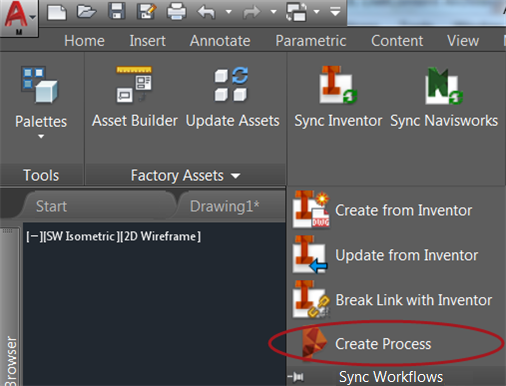
To launch Process Analysis 360 from AutoCAD:
In AutoCAD Factory, select the
Factory tab  Sync Workflows panel
Create Process Model.
Sync Workflows panel
Create Process Model.
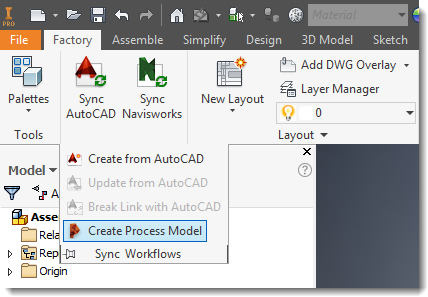
To launch Process Analysis 360 from Inventor:
In Inventor Factory, select the
Factory tab
Sync Workflows panel
Create Process Model.
System Requirements
- A Windows 7 64-bit or Windows 7 32-bit operating system, with 100 MB of free disk space
- An Internet connection
- Firefox 14 or later
- Chrome 20 or later
- Microsoft Internet Explorer 9 or later