You can import and export mesh geometry, add work features, constrain mesh geometry, measure, create surfaces, and more.
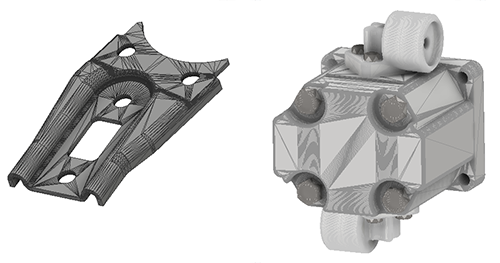
Mesh geometry is a common exchange currency for 3D models. Mesh data, while it can be stored in a CAD native format, often is exchanged or shared in a neutral format such as STL or OBJ.
You can work with mesh geometry in much the same way you work with solid or surface geometry. For example, you can:
- Import OBJ or STL geometry into a Part or Assembly model
- Export geometry (solid, surface, or mesh) in OBJ or STL format
- Create faces from selected mesh facets
- Add work features associated to mesh geometry
- Create 2D sketches on mesh planar faces
- Project mesh edges and vertices into 2D sketches
- Use Section View in both part and assembly
- Use the measure distance or angle commands on mesh geometry
- Use the Assemble, Joint, and Constrain commands on mesh geometry to infer relationships
- Assign appearances to mesh objects
- Define and use view representations
View Navigation
When navigating the view using orbit, pan, and zoom, we recommend that you set the model display to Shaded Visual Style. Mesh models are made up of many faces, edges, and vertices which can impact graphic performance for certain display tasks.