You can assign Point Trackers to, or unassign Point Trackers from, geometries at any time after you create them.
You can assign a Point Tracker to the axis of any geometry when you want to animate the entire geometry with or without changing its shape. You can also assign a Point Tracker to a vertex of a geometry when you want part of the edge of the geometry to change as it tracks a moving element in the shot. However, if you want to assign Point Trackers to all the vertices in a geometry, use Track Shape. See Animating the Shape of Geometries with the Point Tracker.
To assign a Point Tracker to a geometry:
- In the Secondaries menu, activate the secondary layer button that contains the geometry you want to track.
- Enable Show.
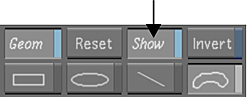
The geometry is displayed in the Player.
- Do one of the following:
- Add a new Point Tracker.
- Click the + or - button to select a Point Tracker from the Tracker list. Make sure the tracker is set to On and is in Solo mode.
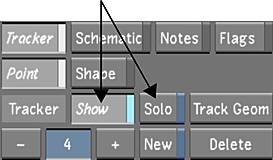
The current Point Tracker is displayed in the Player.
- Enable Assign.
- In the Player, do one of the following:
- To animate the entire geometry without changing its shape, click the geometry's axis.
- To animate a single vertex in a geometry, click the vertex.
The Point Tracker is assigned to the geometry's axis or vertex.
Note: You cannot assign a Point Tracker to more than one point on a geometry. If the tracker is already assigned to a vertex or axis on the geometry, you must unassign it.
To unassign a Point Tracker from a geometry:
- Select the shot that contains the tracking data.
- In the Secondaries menu, enable Show.
The geometry is displayed in the Player.
- Click the + or - button to select a Point Tracker from the Tracker list. Make sure the tracker is set to On and is in Solo mode.
The current tracker is displayed in the Player.
- Enable Unassign and then click the vertex or axis to which you assigned the tracker.
The Point Tracker is unassigned to the vertex but remains in the Tracker list.