Use Job Explorer to view and process all modifications for a job. Job Explorer groups features as follows:
- Inserted
- Updated
- Deleted
- Locked Features (features you locked manually to modify in the future, but have not yet selected)
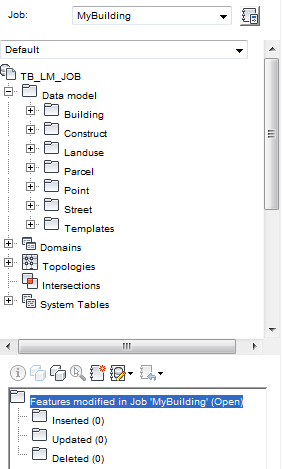
To start Job Explorer
- In the Industry Model Explorer, select a job and click
 .
.
|
Job Tools |
Description |
|
|
Redisplays Job Explorer. |
|
|
Opens the form for the selected feature. |
|
|
Highlights or unhighlights the selected feature in the map. |
|
|
Zooms to the selected feature. |
|
|
Returns selected features to their original state, undoing any modifications you made. |
|
|
Displays the modifications of the selected feature. |
|
|
Extracts the selected features, adds them to a new job, and sets them to live (partial posting). Available for pessimistic locking. |
|
|
Locks a feature manually. Available for pessimistic locking. |
|
|
Unlocks a feature you locked manually. |
|
|
Undoes all modifications to the selected job. |
|
|
Checks for job conflicts and opens the Job Conflict Explorer. Available for optimistic locking. See also Job Conflict Management. |
|
|
Changes the job state. See Changing the Job State (Job Transition). |


