The Job View is where you can keep track of the status of jobs you have launched.
- If you are logged in, you can see all jobs that have been run using your Autodesk Account.
- If you are not logged in, you can see jobs run on your computer.
- If you are not logged in, and have access to remote servers, you can see all jobs you have launched on those remote servers.
-
The Active list monitors currently running jobs. A progress bar on each item provides an indication of how much of the simulation process has been completed
-
The Complete list shows finished or canceled jobs.
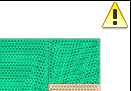
A yellow triangle icon with an exclamation point in the top right corner indicates a cancelled job.
A red hexagon with a white cross in the tor right corner indicates a failed job.

Right-click on a job to see the job details.