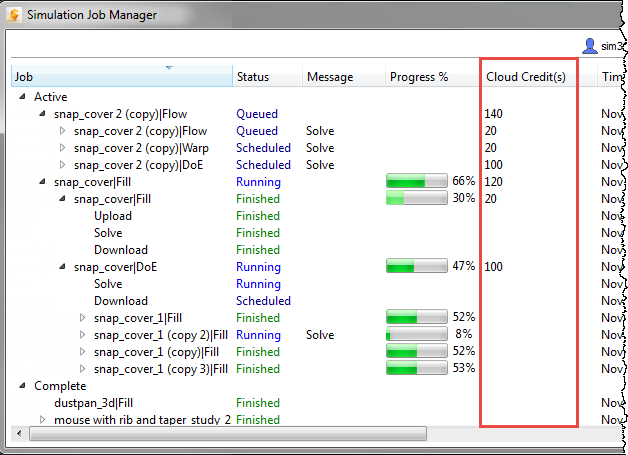
You can see the cost of a cloud job from the List view of the Simulation Job Manager.
If you hover over a job in the Thumbnail view, you see the cost of the total job. To see the cost of the job, broken down into its component jobs, use the List view.
- Open the Simulation Job Manager.
- Select
List from the
Size menu.

- Check the
Cloud Credits column to see the cost of the jobs, and their component jobs.