If the Simulation Job Manager shows your analysis has finished, but your results have not all been returned to the client by the Simulation Job Server, you can recover the results manually.
- In your
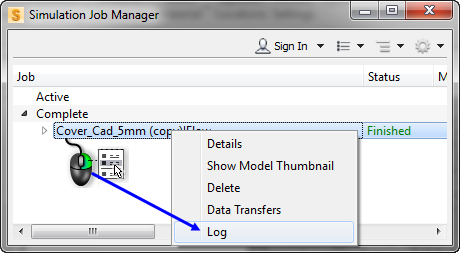
Simulation Job Manager, right-click on the finished job and click
Log from the drop-down menu.
- In the log, note the job id at the top of the window:
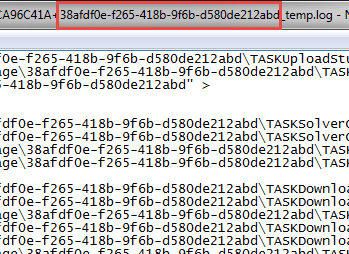
- Go to the
Job Server storage directory, and search for the job id. This is typically located at:
- C:\ProgramData\Autodesk\SJM\ws\ , on Windows
- /var/opt/Autodesk/dssp/ws , on Linux Workstation
- $INSTALLATION/autodesk-dssp-20YY-thinclient-XXX/plugin/ws, on Linux Thin Client
where 20YY refers to the software release year and XXX is the Thin Client version number.
- Double-click the folder with the matching job id, to open it.
- Double-click the folder you find inside, to see all the results for your analysis.
You can now copy the results to your client.