
Move the part on the build plate with precise control, or in a freehand manner.
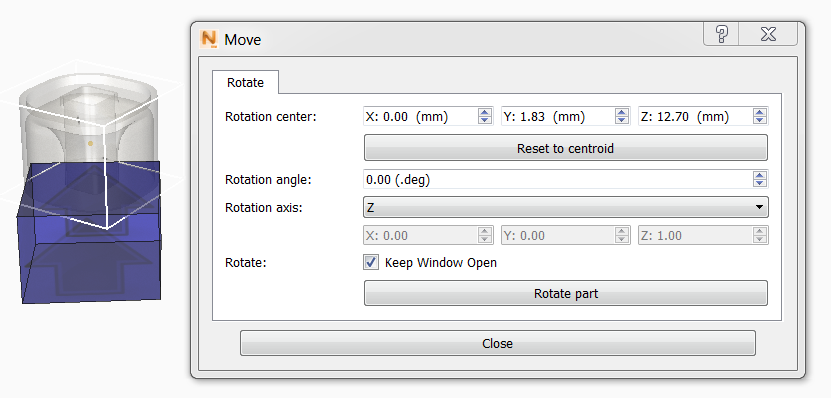
To rotate a part precisely on an axis
- Set the rotation angle value in degrees.
- Set the axis to X, Y, or Z.
- Click Rotate part.
The part snaps to the rotated position.
To freehand move a part
- Click the part, hold the mouse button down, and move the part freely about the centroid, which appears as a dot in the centre of the part.
- Release the mouse button when the part is correctly oriented.
You can move the center of rotation by changing the X, Y, and Z values for Rotation center.
To move a part without rotation
This is useful if you want to position multiple parts on a build plate.
- Center-click the part, hold the mouse button down, and move the part to the new location.
- Release the mouse button.