Edit menu
Here you can find standard Undo and Redo functions, as well as access to Render Properties. The system retains just a single Undo and Redo step.
Window menu
Create additional project windows to support multiple views, and control the arrangement of windows. For example, you can tile a set of windows, or place them in a cascade.
Help menu
Click Help to see the online Help file for Simulation Utility and other Netfabb products.
Click Analytics opt-out if you want to stop participating in Autodesk's program of usage data collection for the purpose of product improvement.
Click Product Information to see the software version identifier, and a list of trademarks and third-party software licenses.
Click License Manager to see the Autodesk licenses in use in the current session, along with any plugins, add-ons, or extensions. If the license has a Borrow button, you can click it to borrow a license for your computer and take it off the network. The following dialog appears:
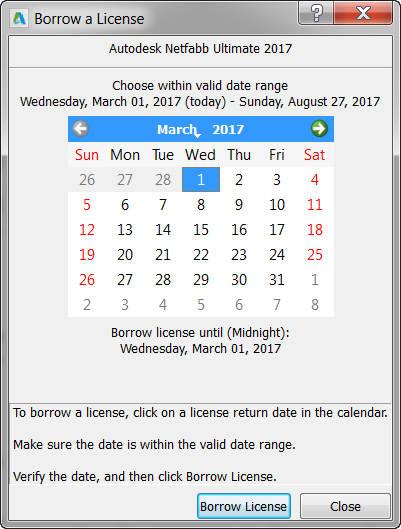
Click the date on which you expect to return the license to the network, then click Borrow License.