After you have selected triangles or a surface you can hide this selection. Either open the context menu with a right click and choose Hide triangles or press the Shortkey I (for invisible). In order to view the selection again, press V (for visible).
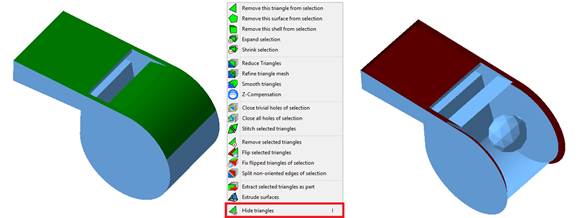
Left: select a surface, Middle: click Hide triangles in the context menu, Right: result with hidden triangles.