 All parts in the project are arranged automatically in the platform, avoiding any collisions. The outbox is taken as reference. The function is available in the Edit or in the context menu after right-clicking on empty space in the screen.
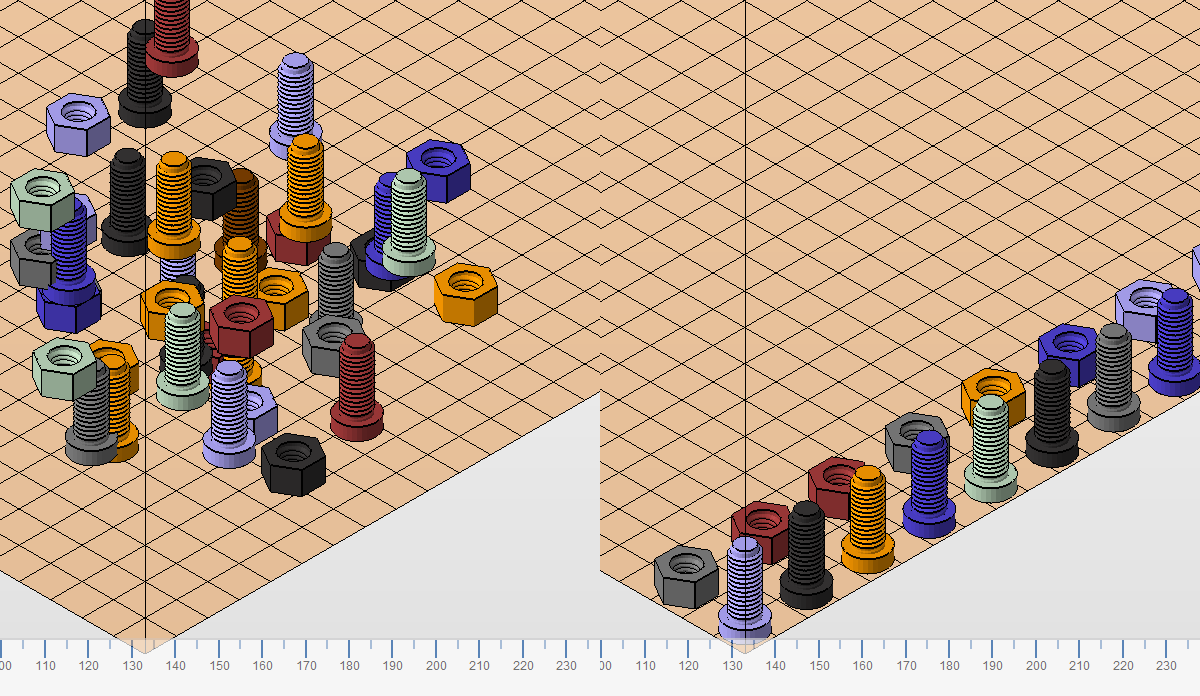
Left: A project with randomly scattered parts. Right: With Arrange parts, the parts are sorted in the platform.
In a dialog window, you can set the accuracy and the minimal distance between the parts. The accuracy determines the raster size for the calculation, as the software calculates a three-dimensional raster across the platform. No two parts will touch the same raster cell. The distance determines the minimum distance between the outboxes off the parts. The outbox is visualized with green brackets if the part is selected.
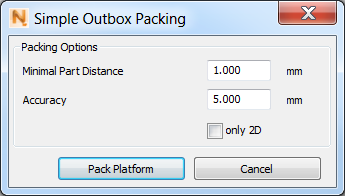
The dialog box for the arranging parts.
With the option only 2D the parts will be arranged two-dimensionally on the bottom plane of the platform. Parts which do not fit onto the bottom plane are moved out of the platform.
In the next tab, you can decide whether you want to confirm or change your settings every time you recall the function with Ctrl + Q or not. Click on Arrange parts to start the calculations.